<?xml version="1.0" encoding="utf-8"?><feed xmlns="http://www.w3.org/2005/Atom" ><generator uri="https://jekyllrb.com/" version="3.10.0">Jekyll</generator><link href="https://roszkowski.dev/feed.xml" rel="self" type="application/atom+xml" /><link href="https://roszkowski.dev/" rel="alternate" type="text/html" /><updated>2026-05-18T16:44:09+02:00</updated><id>https://roszkowski.dev/feed.xml</id><title type="html">Dominik Roszkowski Online Space</title><subtitle>Blogging about mobile development with Flutter</subtitle><author><name>Dominik Roszkowski</name><email>dominik@roszkowski.dev</email></author><entry><title type="html">jnigen and swiftgen in 2026 - some lessons learned</title><link href="https://roszkowski.dev/2026/swiftgen-jnigen/" rel="alternate" type="text/html" title="jnigen and swiftgen in 2026 - some lessons learned" /><published>2026-05-18T10:00:00+02:00</published><updated>2026-05-18T10:00:00+02:00</updated><id>https://roszkowski.dev/2026/swiftgen-jnigen</id><content type="html" xml:base="https://roszkowski.dev/2026/swiftgen-jnigen/"><![CDATA[<p>Package <a href="https://pub.dev/packages/jni">jni 1.0.0</a> was recently published. It’s a good opportunity to share some of my lessons from working with native interop over the last few years.</p>

<p>There were some breaking changes between jni 0.14/0.15 and 1.0.0, so if you were using jni and jnigen in the past, you may face some extra work when upgrading. This article was written after I got annoyed with the AI agent incorrect output when working on the migration.</p>

<h1 id="migration-to-jni100">Migration to jni@1.0.0</h1>

<p>I found that the quickest way to do it was to comment out all my native integration code first, just to rebuild the Android project and regenerate bindings afterwards.</p>

<p>Some APIs have changed (back) to more reasonable names, e.g., <code>toDartString()</code> is now <code>toString()</code>, or methods for setting properties became <strong>setters</strong> (<code>_service.onReplyListener(_listener!);</code> is now <code>_service.onReplyListener = _listener!;</code>). There are also some annoying changes like constructor overrides changing numbers, e.g., <code>Intent.new$2</code> can now be <code>Intent.new$12</code>…</p>

<p>Moreover, the new recommended way to define bindings configuration is <strong>no longer a yaml file</strong>, but rather a simple Dart script. I quite enjoy this new approach, as it hides the magic behind the code generation, and you can just add some pre- and post-processing logic to the generated code. It seems that the convention will be to put these into the <code>tool/</code> directory and run them with <code>dart run tool/jnigen.dart</code> or <code>dart run tool/swiftgen.dart</code>.</p>

<p>You can see example migration commits for simple Flutter apps:</p>

<ul>
  <li>from 0.15 to 1.0.0 <a href="https://github.com/orestesgaolin/native_interop_presentation/commit/4403c186696b199c91bcf24584c43b375f0e3d14">here</a>.</li>
  <li>from 0.14 to 1.0.0 <a href="https://github.com/orestesgaolin/native_interop_presentation/commit/cdb0dba7baf13a9304d9e8d28bdf3630f032d072">here</a></li>
</ul>

<p>Below I share some of the lessons I learned while working with jnigen and swiftgen in last few years. In the last few months I managed to update some of my packages:</p>

<ul>
  <li><a href="https://github.com/orestesgaolin/screen_brightness_monitor/tree/main">screen_brightness_monitor</a></li>
  <li><a href="https://pub.dev/packages/play_in_app_update/versions/1.1.0-pre.1">play_in_app_update</a></li>
  <li><a href="https://github.com/orestesgaolin/uikit_bindings">uikit_bindings</a></li>
  <li><a href="https://github.com/orestesgaolin/native_interop_presentation/tree/main/android_intent">android_intent</a></li>
  <li><a href="https://github.com/orestesgaolin/native_interop_presentation/tree/main/foreground_service_interop_plugin">foreground_service_interop</a></li>
</ul>

<h1 id="jnigen-android">jnigen (Android)</h1>

<p>Quick recap:</p>

<ul>
  <li>You can use jnigen to generate Dart bindings for both explicit and compiled Java/Kotlin code.</li>
  <li>Before generating the bindings you need to build the Android app at least once.<sup id="fnref:building" role="doc-noteref"><a href="#fn:building" class="footnote" rel="footnote">1</a></sup></li>
  <li>You can include both project-specific classes, as well as Android SDK types.</li>
  <li>There are some built-in helpers for common Android utilities, which now have been migrated to <a href="https://pub.dev/packages/jni_flutter">package:jni_flutter</a>.</li>
</ul>

<h2 id="generator-script-tooljnigendart">Generator script (<code>tool/jnigen.dart</code>)</h2>

<p>Example generator script for a plugin with two classes and one callback interface (callback pattern explained in the next section):</p>

<pre><code class="language-dart">import 'dart:io';
import 'package:jnigen/jnigen.dart';

void main(List&lt;String&gt; args) {
  final packageRoot = Platform.script.resolve('../');
  generateJniBindings(Config(
    outputConfig: OutputConfig(
      dartConfig: DartCodeOutputConfig(
        path: packageRoot.resolve('lib/src/my_plugin.g.dart'),
        structure: OutputStructure.singleFile,
      ),
    ),
    androidSdkConfig: AndroidSdkConfig(
      addGradleDeps: true,
      androidExample: 'example',     // Points to example app for Gradle resolution
    ),
    sourcePath: [packageRoot.resolve('android/src/main/java/')],
    classes: [
      'com.example.MyCallback',       // List ALL classes to bind
      'com.example.MyPlugin',
    ],
  ));
}
</code></pre>

<h2 id="callbacks-use-kotlin-interfaces">Callbacks: use Kotlin interfaces</h2>

<p>If you want to receive data back from native code to Dart, the approach I found is to define a callback interface. Then on the Dart side you can wrap it with more user-friendly API like <code>StreamController</code>. Often, it’s sufficient to just expose the callback directly.</p>

<p>Define a dedicated Kotlin interface. jnigen generates a type-safe <code>implement()</code> method and <code>$Mixin</code>:</p>

<pre><code class="language-kotlin">// Generates BrightnessCallback.implement($BrightnessCallback(...))
@Keep
interface BrightnessCallback {
    @Keep
    fun onBrightnessChanged(brightness: Int)
}
</code></pre>

<p>Then in Dart:</p>

<pre><code class="language-dart">final callback = BrightnessCallback.implement(
  $BrightnessCallback(
    onBrightnessChanged: (brightness) { /* ... */ },
    onBrightnessChanged$async: true,  // Non-blocking (listener pattern)
  ),
);
native.startObserving(callback);
</code></pre>

<h2 id="getting-access-to-context-and-activity---packagejni_flutter">Getting access to Context and Activity - package:jni_flutter</h2>

<p>There are some small changes to accessing Android Context (<code>androidApplicationContext</code>) and current Activity. It’s now part of the <code>package:jni_flutter</code>. Moreover, to get the current Activity, you need to pass the current <code>engineId</code>.</p>

<pre><code class="language-dart">final engineId = PlatformDispatcher.instance.engineId;
if (engineId == null) {
  print('Error: Engine ID is null');
  return;
}

final activity = androidActivity(engineId);
if (activity == null) {
  print('Error: Activity is null');
  return;
}
activity.as(a.Activity.type).startActivityForResult(intent, 1);
</code></pre>

<h2 id="casting">Casting</h2>

<p>To cast <code>JObject</code> onto a desired type, use <code>as()</code> with the generated type:</p>

<pre><code class="language-dart">final brightnessMonitor = native.getBrightnessMonitor();
final brightness = brightnessMonitor.as(ScreenBrightnessMonitor.type).brightness;
</code></pre>

<h2 id="arrays">Arrays</h2>

<p>It’s a bit cumbersome, but once you know, you know:</p>

<pre><code class="language-dart">final array = JArray.of&lt;JString&gt;(JString.type, ["cc@example.com".toJString()]);
</code></pre>

<h2 id="the-async-true-flag">The <code>$async: true</code> Flag</h2>

<p>I found that I’m basically always using <code>async: true</code> for callbacks. There’s some dedicated <a href="https://github.com/dart-lang/native/blob/main/pkgs/jnigen/doc/threading.md">threading documentation</a>, but not sure how up-to-date it is.</p>

<h2 id="annotate-with-keep">Annotate with <code>@Keep</code></h2>

<p>ProGuard/R8 strips unreferenced classes. Annotate every class, interface, property, and method that jnigen binds:</p>

<pre><code class="language-kotlin">@Keep
class ScreenBrightnessMonitor(private val context: Context) {
    @get:Keep          // For Kotlin properties, use @get:Keep
    val brightness: Int
        get() = /* ... */

    @Keep
    fun startObserving(callback: BrightnessCallback) { /* ... */ }
}
</code></pre>

<h2 id="issues-while-regenerating-bindings">Issues while regenerating bindings</h2>

<p>Sometimes, despite changing Kotlin code and rebuilding with gradle, the jnigen generator may throw errors like <code>Unexpected end of input (at character 1)</code>. In my case, the workaround is to rerun the Gradle build without cache.</p>

<pre><code class="language-bash">cd android
./gradlew :your_plugin_name:assembleDebug --no-daemon --console=plain --refresh-dependencies --rerun-tasks
cd ..
dart run tool/jnigen.dart
</code></pre>

<h2 id="memory-management">Memory management</h2>

<p>When using jni bindings, you have to remember about native Java objects that are getting referenced on each instantiation.</p>

<p>The overall assumption is that you don’t have to manually manage them. Once all references (in both Java and Dart) to an object are gone, Java’s garbage collector (GC) can reclaim it. Similarly, JObjects attach a native finalizer to their global references. Therefore, when the Dart GC collects them, the underlying Java reference is released.</p>

<p>However, sometimes you may want to control the lifecycle of objects more explicitly. Read more on reference management in the <a href="https://github.com/dart-lang/native/blob/main/pkgs/jnigen/doc/lifecycle.md">dedicated documentation</a>. To manually release a JNI global reference, call <code>.release()</code> on the Dart side:</p>

<pre><code class="language-dart">void dispose() {
  native.stopObserving();
  callback?.release();
  native.release();
}
</code></pre>

<h1 id="swiftgen-ios">swiftgen (iOS)</h1>

<p>Swiftgen is still not stable, but I’ve had some success using it so far. The Swift code needs to be compatible with Objective-C, and swiftgen handles the bridging to Dart via <code>swift2objc</code> and <code>ffigen</code>.</p>

<p>I have published <a href="https://pub.dev/packages/screen_brightness_monitor">package:screen_brightness_monitor</a> that uses swiftgen for iOS bindings.</p>

<h2 id="generator-script-toolswiftgendart">Generator script (<code>tool/swiftgen.dart</code>)</h2>

<p>Similarly to jnigen, I recommend using a Dart script for configuration. Here’s an example for a plugin with one class and one callback protocol:</p>

<pre><code class="language-dart">import 'dart:io';
import 'package:ffigen/ffigen.dart' as fg;
import 'package:logging/logging.dart';
import 'package:swiftgen/swiftgen.dart';

Future&lt;void&gt; main() async {
  final logger = Logger('swiftgen');
  logger.onRecord.listen((record) {
    stderr.writeln('${record.level.name}: ${record.message}');
  });

  final packageRoot = Platform.script.resolve('../');

  // Resolve SDK path/version manually:
  final sdkPath = (await Process.run('xcrun', [
    '--sdk', 'iphoneos', '--show-sdk-path',
  ])).stdout.toString().trim();
  final sdkVersion = (await Process.run('xcrun', [
    '--sdk', 'iphoneos', '--show-sdk-version',
  ])).stdout.toString().trim();

  await SwiftGenerator(
    target: Target(
      triple: 'arm64-apple-ios$sdkVersion',
      sdk: Uri.directory(sdkPath),
    ),
    inputs: [
      ObjCCompatibleSwiftFileInput(
        files: [
          packageRoot.resolve('ios/Classes/MyWidget.swift'),
        ],
      ),
    ],
    output: Output(
      module: 'my_plugin',
      dartFile: packageRoot.resolve('lib/src/my_plugin_ios.g.dart'),
      objectiveCFile: packageRoot.resolve('ios/Classes/my_plugin.m'),
    ),
    ffigen: FfiGeneratorOptions(
      objectiveC: fg.ObjectiveC(
        interfaces: fg.Interfaces(
          include: (decl) =&gt; decl.originalName == 'MyWidget',
        ),
        protocols: fg.Protocols(
          include: (decl) =&gt; decl.originalName == 'MyCallback',
        ),
      ),
    ),
  ).generate(logger: logger);
}
</code></pre>

<h3 id="objccompatibleswiftfileinput-vs-swiftfileinput"><code>ObjCCompatibleSwiftFileInput</code> vs <code>SwiftFileInput</code></h3>

<ul>
  <li><strong><code>SwiftFileInput</code></strong>: For pure Swift code. swift2objc wraps it in ObjC-compatible wrappers.</li>
  <li><strong><code>ObjCCompatibleSwiftFileInput</code></strong>: For Swift code that’s <strong>already <code>@objc</code> annotated</strong>. Skips the wrapping step – simpler, fewer surprises. <strong>Prefer this when you control the Swift code.</strong></li>
</ul>

<h2 id="writing-objc-compatible-swift">Writing ObjC-compatible Swift</h2>

<p>All types exposed to Dart must be <code>@objc</code> annotated and inherit from <code>NSObject</code> (for classes):</p>

<pre><code class="language-swift">// Protocol — callback interface
@objc public protocol BrightnessCallback {
    @objc func onBrightnessChanged(_ brightness: Int)
}

// Class — must inherit NSObject
@objc public class ScreenBrightnessMonitor: NSObject {
    @objc public override init() { super.init() }

    @objc public var brightness: Int { /* ... */ }

    @objc public func startObserving(callback: BrightnessCallback) { /* ... */ }
    @objc public func stopObserving() { /* ... */ }
}
</code></pre>

<p><strong>Rules:</strong></p>

<ul>
  <li>Classes must inherit <code>NSObject</code> (direct or indirect).</li>
  <li>Use <code>@objc public</code> on everything ffigen should see.</li>
  <li>Overriding <code>init()</code> requires <code>override</code> + calling <code>super.init()</code>.</li>
  <li>Only ObjC-compatible types work: <code>Int</code>, <code>String</code>, <code>Bool</code>, <code>NSObject</code> subclasses, protocols. No Swift structs, enums with associated values, or generics.</li>
</ul>

<h2 id="ffigen-include-filters">ffigen include filters</h2>

<p>By default, ffigen generates bindings for <strong>everything</strong> in the ObjC header. Use <code>include</code> filters to limit output to your types only:</p>

<pre><code class="language-dart">ffigen: FfiGeneratorOptions(
  objectiveC: fg.ObjectiveC(
    interfaces: fg.Interfaces(
      include: (decl) =&gt; decl.originalName == 'ScreenBrightnessMonitor',
    ),
    protocols: fg.Protocols(
      include: (decl) =&gt; decl.originalName == 'BrightnessCallback',
    ),
  ),
),
</code></pre>

<p>Without filters, you’ll get bindings for <code>NSObject</code>, <code>NSString</code>, etc. – hundreds of unnecessary lines.</p>

<h3 id="implementing-objc-protocols-in-dart">Implementing ObjC protocols in Dart</h3>

<p>swiftgen/ffigen generates three flavors for each protocol:</p>

<table>
  <thead>
    <tr>
      <th>Method</th>
      <th>Use When</th>
    </tr>
  </thead>
  <tbody>
    <tr>
      <td><code>implement(...)</code></td>
      <td>Callback runs synchronously, blocking the ObjC caller until Dart returns</td>
    </tr>
    <tr>
      <td><code>implementAsListener(...)</code></td>
      <td><strong>Callback is non-blocking</strong> – ObjC caller continues immediately (use for observers/notifications)</td>
    </tr>
    <tr>
      <td><code>implementAsBlocking(...)</code></td>
      <td>Callback blocks the ObjC thread and waits for Dart to complete</td>
    </tr>
  </tbody>
</table>

<p>For observer/notification patterns, use <code>implementAsListener</code>:</p>

<pre><code class="language-dart">final callback = BrightnessCallback$Builder.implementAsListener(
  onBrightnessChanged_: (brightness) {
    controller.add(brightness);
  },
);
native.startObservingWithCallback(callback);
</code></pre>

<h2 id="sdk-version-workaround">SDK version workaround</h2>

<p>When building my package, I found that <code>Target.iOSArm64Latest()</code> may crash with <code>FormatException</code> if swift2objc’s <code>_parseVersion</code> regex can’t parse your Xcode SDK version string. The workaround is to resolve the SDK path and version manually via <code>xcrun</code> and construct the <code>Target</code> directly (see generator script above). Perhaps I did something wrong?</p>

<h2 id="generated-files">Generated files</h2>

<p>swiftgen produces <strong>two</strong> files:</p>

<ol>
  <li><strong>Dart bindings</strong> (<code>lib/src/..._ios.g.dart</code>) – extension types wrapping ObjC objects</li>
  <li><strong>ObjC bindings</strong> (<code>ios/Classes/....m</code>) – C functions that ffigen’s Dart code calls via <code>dart:ffi</code></li>
</ol>

<p>Both must be committed. The <code>.m</code> file must be in a location picked up by the podspec (<code>Classes/**/*</code>).</p>

<h2 id="objc-method-names-ios">ObjC method names (iOS)</h2>

<p>Swift <code>func startObserving(callback:)</code> becomes <code>startObservingWithCallback:</code> in ObjC (and thus in the Dart binding). Check the generated <code>.g.dart</code> for actual method names.</p>

<h2 id="podspec-source_files">Podspec <code>source_files</code></h2>

<p>Must include both the Swift source and the generated <code>.m</code> file. <code>Classes/**/*</code> covers both.</p>

<h1 id="cross-platform-dart-wrapper">Cross-platform Dart wrapper</h1>

<p>Neither jnigen nor swiftgen will generate a single API for both platforms (as opposed to <code>package:pigeon</code>). Below I share a simple pattern I used in my plugin to expose a common API to users.</p>

<h2 id="abstract-class--factory-constructor">Abstract class + factory constructor</h2>

<p>Define an abstract class with a factory constructor that instantiates the correct platform implementation at runtime:</p>

<pre><code class="language-dart">// lib/src/brightness_monitor.dart
import 'dart:io' show Platform;
import 'brightness_monitor_android.dart';
import 'brightness_monitor_ios.dart';

abstract class BrightnessMonitor {
  factory BrightnessMonitor() {
    if (Platform.isAndroid) return BrightnessMonitorAndroid();
    if (Platform.isIOS) return BrightnessMonitorIos();
    throw UnsupportedError('Unsupported platform');
  }

  int get brightness;
  Stream&lt;int&gt; get onBrightnessChanged;
  void dispose();
}
</code></pre>

<p>Each platform file imports only its own generated bindings, so platform-specific <code>dart:ffi</code> symbols don’t conflict.</p>

<h2 id="keep-a-dart-side-reference-to-callbacks">Keep a Dart-side reference to callbacks</h2>

<p>Even with a strong Swift reference, store the callback object in a field (<code>_callback</code>) on the Dart side too. If it’s only a local variable in <code>_startObserving()</code>, the Dart GC can collect the closure backing the protocol proxy, breaking the callback silently. Clean it up in <code>_stopObserving()</code>:</p>

<pre><code class="language-dart">BrightnessCallback? _callback;

void _startObserving() {
  _callback = BrightnessCallback$Builder.implementAsListener(
    onBrightnessChanged_: (b) { _controller?.add(b); },
  );
  _native.startObservingWithCallback(_callback!);
}

void _stopObserving() {
  _native.stopObserving();
  _callback = null;
}
</code></pre>

<h1 id="android-vs-ios-api-comparison">Android vs iOS API comparison</h1>

<table>
  <thead>
    <tr>
      <th>Concern</th>
      <th>jnigen (Android)</th>
      <th>swiftgen (iOS)</th>
    </tr>
  </thead>
  <tbody>
    <tr>
      <td><strong>Callback definition</strong></td>
      <td>Kotlin <code>interface</code></td>
      <td>Swift <code>@objc protocol</code></td>
    </tr>
    <tr>
      <td><strong>Callback creation</strong></td>
      <td><code>MyCallback.implement($MyCallback(...))</code></td>
      <td><code>MyCallback$Builder.implementAsListener(...)</code></td>
    </tr>
    <tr>
      <td><strong>Async/non-blocking</strong></td>
      <td><code>method$async: true</code> in <code>$Mixin</code></td>
      <td><code>implementAsListener(...)</code> variant</td>
    </tr>
    <tr>
      <td><strong>Context/init</strong></td>
      <td>Pass <code>Context</code> via <code>Jni.androidApplicationContext</code></td>
      <td>No context needed; <code>init()</code> or default constructor</td>
    </tr>
    <tr>
      <td><strong>Memory</strong></td>
      <td><code>.release()</code> to free JNI global ref</td>
      <td>Automatic (ARC via ObjC runtime)</td>
    </tr>
    <tr>
      <td><strong>Native superclass</strong></td>
      <td>Any Java/Kotlin class</td>
      <td>Must extend <code>NSObject</code></td>
    </tr>
    <tr>
      <td><strong>Allowed types</strong></td>
      <td>Any JNI-compatible type</td>
      <td>ObjC-compatible types only (no Swift structs/generics)</td>
    </tr>
  </tbody>
</table>

<h1 id="final-words">Final words</h1>

<p>I’ve been using jni, jnigen, ffi, and swiftgen for over a year now. The setup experience requires some effort, but once you have the bindings ready, it’s pretty smooth sailing<sup id="fnref:sailing" role="doc-noteref"><a href="#fn:sailing" class="footnote" rel="footnote">2</a></sup>. I wish the docs included more examples, though. I hope this short article will help others get started faster and give future AI models a bit more native-interop content in their corpus.</p>

<div class="footnotes" role="doc-endnotes">
  <ol>
    <li id="fn:building" role="doc-endnote">
      <p>Seems like it will be possible to skip <code>flutter build apk</code> as per <a href="https://github.com/dart-lang/native/pull/3303">this PR</a> and run simply <code>flutter pub get</code>. <a href="#fnref:building" class="reversefootnote" role="doc-backlink">&#8617;</a></p>
    </li>
    <li id="fn:sailing" role="doc-endnote">
      <p>I’m not a sailor, though. <a href="#fnref:sailing" class="reversefootnote" role="doc-backlink">&#8617;</a></p>
    </li>
  </ol>
</div>]]></content><author><name>Dominik Roszkowski</name><email>dominik@roszkowski.dev</email></author><category term="flutter" /><category term="dart" /><category term="native interop" /><category term="jni" /><category term="swiftgen" /><summary type="html"><![CDATA[jni 1.0 was recently published. It's a good opportunity to share some of my lessons from working with native interop over the last few years.]]></summary></entry><entry><title type="html">Binding to Android Foreground Service with JNI and jnigen from Flutter</title><link href="https://roszkowski.dev/2026/jni-foreground-service/" rel="alternate" type="text/html" title="Binding to Android Foreground Service with JNI and jnigen from Flutter" /><published>2026-02-22T13:20:00+01:00</published><updated>2026-02-22T13:20:00+01:00</updated><id>https://roszkowski.dev/2026/jni-foreground-service</id><content type="html" xml:base="https://roszkowski.dev/2026/jni-foreground-service/"><![CDATA[<p>The more I work with jni and native APIs from Flutter, the more I think it’s time to move away from methods channels entirely. In this short post I’m going to show how to bind to Android’s foreground service directly from Dart, and send messages back and forth without additional plugin class.</p>

<p>Here’s what I built:</p>

<ul>
  <li>starting and binding to a foreground service from Flutter</li>
  <li>requesting and checking for notification permissions directly from Dart</li>
  <li>sending messages from Flutter to foreground service</li>
  <li>receiving messages from foreground service notification as if it was a messaging app</li>
</ul>

<table>
<tr>
<td width="50%">
<video loop="" autoplay="" width="100%" playsinline="" muted="">
    <source src="/assets/images/android-fs-flutter.mp4" type="video/mp4" />
</video>
</td>
<td width="50%">
<video loop="" autoplay="" width="100%" playsinline="" muted="">
    <source src="/assets/images/android-fs-rebinding.mp4" type="video/mp4" />
</video>
</td>
</tr>
</table>

<p>I first started with <a href="https://github.com/orestesgaolin/native_interop_presentation/commit/2acb2cf32d01b09f91500a39333c81660c32cd07">more traditional approach of having a plugin class</a> that proxied calls to the foreground service, but after some chats with my friend we realized we can skip this step and bind directly to the service from Flutter.</p>

<p>Let’s recap some useful helpers included in jni:</p>

<ul>
  <li><code>Jni.androidApplicationContext</code> - needed to start the service and send messages to it</li>
  <li><code>jni.Jni.androidActivity(engineId)</code> and <code>PlatformDispatcher.instance.engineId</code> - needed to request notification permissions</li>
</ul>

<h2 id="jnigen-configuration-2026">jnigen configuration 2026</h2>

<p>Currently the best way to configure jnigen is to use Dart script like following:</p>

<pre><code class="language-dart">import 'dart:io';

import 'package:jnigen/jnigen.dart';

void main(List&lt;String&gt; args) {
  final packageRoot = Platform.script.resolve('../');
  generateJniBindings(
    Config(
      outputConfig: OutputConfig(
        dartConfig: DartCodeOutputConfig(
          path: packageRoot.resolve(
            'lib/src/foreground_service_interop_plugin.g.dart',
          ),
          structure: OutputStructure.singleFile,
        ),
      ),
      androidSdkConfig: AndroidSdkConfig(
        addGradleDeps: true,
        androidExample: 'example',
      ),
      sourcePath: [packageRoot.resolve('android/src/main/java')],
      classes: [
        'com.example.foreground_service_interop_plugin.ExampleForegroundService',
        'com.example.foreground_service_interop_plugin.ReplyListenerProxy',
        'android.content.ServiceConnection',
        'android.content.Intent',
        'android.content.Context',
        'android.app.Activity',
        'androidx.core.content.ContextCompat',
        'androidx.core.app.ActivityCompat',
      ],
    ),
  );
}
</code></pre>

<p>On each native change you have to rebuild the example app with <code>flutter build apk</code> and then run this script to regenerate bindings via <code>dart tool/jnigen.dart</code>.</p>

<h2 id="permissions">Permissions</h2>

<p>Before you can spawn a foreground service, you need to request <code>POST_NOTIFICATIONS</code> permission on Android 13+.</p>

<p>For that we have to bind <code>androidx.core.content.ContextCompat</code> and <code>androidx.core.app.ActivityCompat</code>. Then the permissions can be requested and checked <strong>synchronously</strong>:</p>

<pre><code class="language-dart">void requestPermission() {
    final engineId = PlatformDispatcher.instance.engineId;
    if (engineId == null) {
        print('Engine ID is null, cannot request permission');
        return;
    }
    // This is how you cast the Android Activity from JNI
    final activity = jni.Jni.androidActivity(engineId)?.as(native.Activity.type);
    if (activity == null) {
        print('Activity is null, cannot request permission');
        return;
    }

    native.ActivityCompat.requestPermissions(
        activity,
        jni.JArray.of(jni.JString.type, ['android.permission.POST_NOTIFICATIONS'.toJString(),]),
        0,
    );

    // set timer to poll for permissions (up to 30 seconds)
    Timer.periodic(const Duration(seconds: 1), (timer) {
        final granted = checkPermission();
        if (granted) {
            setState(() {
                hasPermission = true;
            });
            timer.cancel();
        } else {
            print('Permission not granted yet, checking again...');
        }
    });
}

bool checkPermission() {
    final context = jni.Jni.androidApplicationContext.as(native.Context.type);

    final result = native.ContextCompat.checkSelfPermission(
        context,
        'android.permission.POST_NOTIFICATIONS'.toJString(),
    );
    return result == 0;
}

</code></pre>

<h2 id="starting-and-binding-to-foreground-service">Starting and binding to foreground service</h2>

<p>Having the permissions granted, we can start the foreground service and bind to it directly from Flutter. We’ll need to bind <code>android.content.Context</code> and <code>android.content.Intent</code> for that.</p>

<pre><code class="language-dart">void startAndBind() {
    final context = jni.Jni.androidApplicationContext.as(native.Context.type);
    final intent = native.Intent.new$1(
        context,
        native.ExampleForegroundService.type.jClass,
    );
    context.bindService$1(
        intent,
        serviceConnection,
        native.Context$BindServiceFlags.of(native.Context.BIND_AUTO_CREATE),
    );

    setState(() {});
}
</code></pre>

<p>When connecting to service a <code>android.content.ServiceConnection</code> is needed. We are going to implement it in a familiar way by passing <em>implementation</em> proxy object.</p>

<pre><code class="language-dart">@override
void initState() {
    super.initState();

    serviceConnection = native.ServiceConnection.implement(
        native.$ServiceConnection(
        onServiceConnected: (componentName, iBinder) {
            localBinder = iBinder?.as(native.ExampleForegroundService$LocalBinder.type);
            service = localBinder?.getService();

            // Converting proxy callback to stream subscription
            repliesSubscription = service?.replyStream.replies.listen((reply) {
                setState(() {
                    messages.add((DateTime.now(), 'Service', reply));
                });
            });

            setState(() {});
        },
        onServiceDisconnected: (componentName) {
            service = null;
            localBinder = null;
            repliesSubscription?.cancel();
            setState(() {});
        },
        onBindingDied: (componentName) {
            //
        },
        onNullBinding: (componentName) {
            //
        },
        ),
    );
}
</code></pre>

<p>This time instead of using callbacks via proxy, I created a wrapper to convert from them to stream (<code>service?.replyStream.replies</code>). You can check out the implementation here. This makes the API much more Dart-like in my opinion.</p>

<h2 id="sending-and-receiving-messages">Sending and receiving messages</h2>

<p>Once we have access to the service, we can invoke <code>receiveMessage</code> method to update the notification message. Messages from the notification are received via the <code>replyStream</code> as shown in the previous code snippet.</p>

<pre><code class="language-dart">void sendMessage() {
  if (service != null) {
    final msg = 'Hello from Flutter at ${DateTime.now()}';
    messages.add((DateTime.now(), 'Flutter', msg));
    service?.receiveMessage(msg.toJString());
  }
  setState(() {});
}
</code></pre>

<h2 id="final-thoughts">Final thoughts</h2>

<p>It’s really cool, what possibilities are now open with jni and jnigen. Step-by-step, it was possible to access Android’s foreground service API directly from Dart without any method channels or plugin classes. The API is pretty clean and Dart-like, especially with some wrapper classes to convert callbacks to streams.</p>

<p class="notice--info"><a href="https://github.com/orestesgaolin/native_interop_presentation/tree/main/foreground_service_interop_plugin">Click here for the full source code</a>.</p>

<p>Final tips:</p>

<ol>
  <li>It is very important to cast JObject using <code>as(ClassName.type)</code> extension method rather than Dart’s <code>as</code> keyword.</li>
  <li>On each change to the native code, make sure to run <code>flutter build apk</code> in the example code and then regenerate bindings with <code>dart tool/jnigen.dart</code>.</li>
</ol>

<h2 id="thoughts-about-llms-and-jnigen">Thoughts about LLMs and jnigen.</h2>

<p>From my experience, current AI models are not really up to date with jnigen possibilities. So here’s my little contribution - let LLMs feed on this data and use <em>my</em> way to access native code in Flutter ;)</p>]]></content><author><name>Dominik Roszkowski</name><email>dominik@roszkowski.dev</email></author><summary type="html"><![CDATA[If you're writing any native integration in Flutter in 2026, you should probably use jni and jnigen by this time.]]></summary></entry><entry><title type="html">JNI and jnigen: Access Android In-App Update from Flutter</title><link href="https://roszkowski.dev/2025/android-in-app-update/" rel="alternate" type="text/html" title="JNI and jnigen: Access Android In-App Update from Flutter" /><published>2025-12-25T16:20:00+01:00</published><updated>2025-12-25T16:20:00+01:00</updated><id>https://roszkowski.dev/2025/android-in-app-update</id><content type="html" xml:base="https://roszkowski.dev/2025/android-in-app-update/"><![CDATA[<p>I’ve just published new package using JNI bindings for <a href="https://developer.android.com/guide/playcore/in-app-updates">Play Core In-App Update API</a>. It lets you trigger flexible or immediate updates straight from Dart code without the usual method channel boilerplate.</p>

<p><a href="https://github.com/orestesgaolin/play_core_libraries/tree/main/in_app_update">Repository</a></p>

<p><a href="https://pub.dev/packages/play_in_app_update">package: play_in_app_update</a>.</p>

<p><img src="https://raw.githubusercontent.com/orestesgaolin/play_core_libraries/refs/heads/main/in_app_update/doc/screenshot_app_update.gif" alt="" /></p>

<p>It is a thin layer over Play Core native libs generated with <code>jnigen</code>, so you call the same API you would in Kotlin, just from Dart. Works on Android 5.0+ (SDK 21) and supports both update types. See <a href="https://github.com/orestesgaolin/play_core_libraries/blob/main/in_app_update/tool/jnigen.dart">jnigen.dart</a> for details how it’s been generated.</p>

<p>Example app includes a simple UI to trigger updates and shows how to listen to update state changes. You can check the README for testing and usage instructions.</p>

<p>Besides low-level access to the API that lets you use Android’s docs as if they were written for Dart, there’s also a more Flutter-friendly high-level API that uses Dart idioms (see <a href="https://github.com/orestesgaolin/play_core_libraries/blob/main/in_app_update/lib/wrapper.dart">wrapper.dart</a> and corresponding <a href="https://github.com/orestesgaolin/play_core_libraries/blob/main/in_app_update/example/lib/wrapper_page.dart">example code</a>).</p>

<p>If you end up shipping it in production and notice any rough edges, feel free to create issue.</p>]]></content><author><name>Dominik Roszkowski</name><email>dominik@roszkowski.dev</email></author><summary type="html"><![CDATA[Just published JNI bindings to Play Core In-App Update API on Android]]></summary></entry><entry><title type="html">Using Android Intent via native interop with jnigen</title><link href="https://roszkowski.dev/2025/android-jnigen/" rel="alternate" type="text/html" title="Using Android Intent via native interop with jnigen" /><published>2025-07-22T16:20:00+02:00</published><updated>2025-07-22T16:20:00+02:00</updated><id>https://roszkowski.dev/2025/android-jnigen</id><content type="html" xml:base="https://roszkowski.dev/2025/android-jnigen/"><![CDATA[<p>In this post I’ll show how to access some of the Android APIs directly in Dart/Flutter. The final result will be a plugin allowing to send some basic Intents to the Android system, like opening the e-mail client or selecting a contact.</p>

<center>
<video loop="" autoplay="" width="50%" playsinline="" muted="">
  <source src="/assets/images/jnigen-email.mp4" type="video/mp4" />
  <source src="/assets/images/jnigen-email.webm" type="video/webm" />
</video>
</center>

<p>We wanted to open user’s default e-mail client to send a properly formatted message, but the typical <code>package:url_launcher</code> approach of creating a <code>mailto:</code> was too flaky. Android <a href="https://developer.android.com/guide/components/intents-common.html#Email">allows to provide a specific intent</a> of type <code>ACTION_SENDTO</code> that will query the system for the best app to handle it. I created bindings for this Intent call with jnigen and here’s a bit of overview.</p>

<h2 id="getting-started">Getting started</h2>

<p>Create new Flutter plugin and modify the <code>pubspec.yaml</code> and <code>jnigen.yaml</code> to match the example in the <a href="https://github.com/dart-lang/native/tree/main/pkgs/jnigen/example">jnigen repository</a>. This will only work on Android, hence:</p>

<pre><code class="language-bash">flutter create --template plugin --platforms android android_intent
cd android_intent/example
flutter build apk --release
</code></pre>

<p>After cleaning up the code and dependencies <strong>make sure to build your Android example app in release</strong>. You can also open it in Android Studio to check if everything is correct.</p>

<p>This setup assumes following package versions and works as of July 2025:</p>

<pre><code>jnigen: ^0.14.0
jni: ^0.14.2
</code></pre>

<h2 id="jnigen-setup">jnigen setup</h2>

<p>The basic setup of jnigen plugin works fine for me although it results with over 20k generated lines of Dart code. To be able to access Android APIs you need to specify all the classes (and their dependencies e.g. <code>android.net.Uri</code>) that would normally be imported in Java/Kotlin code. The following <code>jnigen.yaml</code> file worked for me:</p>

<pre><code class="language-yaml">android_sdk_config:
  add_gradle_deps: true
  android_example: "example/"

source_path:
  - "android/src/main/java"
classes:
  - "android.content.Intent"
  - "android.content.Context"
  - "android.app.Activity"
  - "android.net.Uri"

output:
  dart:
    path: "lib/src/bindings.dart"
    structure: "single_file"
</code></pre>

<p>Once you run the jnigen code generator, you should be able to use the generated bindings directly in Dart code.</p>

<pre><code class="language-sh">flutter pub run jnigen --config jnigen.yaml
</code></pre>

<h2 id="usage-in-dart">Usage in Dart</h2>

<p>To send a simple Intent to open the e-mail client, you can use the following Dart code:</p>

<pre><code class="language-dart">void sendEmail() {
  try {
    final intent = Intent.new$2(Intent.ACTION_SENDTO);
    intent.setData(Uri.parse("mailto:".toJString()));

    intent.putExtra$21(
      Intent.EXTRA_EMAIL,
      JArray.of&lt;JString&gt;(JString.type, ["example@example.com".toJString()]),
    );
    intent.putExtra$8(Intent.EXTRA_SUBJECT, "Subject".toJString());
    intent.putExtra$8(Intent.EXTRA_TEXT, "Body text".toJString());
    intent.putExtra$21(
      Intent.EXTRA_CC,
      JArray.of&lt;JString&gt;(JString.type, ["cc@example.com".toJString()]),
    );
    intent.setFlags(Intent.FLAG_ACTIVITY_NEW_TASK);
    Context contextInstance = Context.fromReference(Jni.getCachedApplicationContext());
    contextInstance.startActivity(intent);
  } catch (e) {
    print('Error opening email: $e');
  }
}
</code></pre>

<p>What is quite cool it follows 1:1 the code from the <a href="https://developer.android.com/guide/components/intents-common#Email">Android documentation</a>:</p>

<pre><code class="language-kotlin">fun composeEmail(addresses: Array&lt;String&gt;, subject: String) {
    val intent = Intent(Intent.ACTION_SENDTO).apply {
        data = Uri.parse("mailto:") // Only email apps handle this.
        putExtra(Intent.EXTRA_EMAIL, addresses)
        putExtra(Intent.EXTRA_SUBJECT, subject)
    }
    if (intent.resolveActivity(packageManager) != null) {
        startActivity(intent)
    }
}
</code></pre>

<p>Obviously there are several slightly annoying differences:</p>

<ul>
  <li>You have to cast Dart types to Jni types, e.g. <code>toJString()</code>.</li>
  <li>You have to use <code>JArray.of&lt;JString&gt;()</code> to create an array of strings</li>
  <li>You have to use <code>putExtra$21</code> and <code>putExtra$8</code> methods as Dart does not support method overloading</li>
</ul>

<p>On the flipside, the <a href="https://pub.dev/packages/jni">package:jni</a> comes with few convenience methods:</p>

<ul>
  <li><code>Jni.getCachedApplicationContext()</code> to get the application context which I can cast to <code>Context</code> and use it to start the intent.</li>
  <li>not shown here <code>Jni.getCurrentActivity()</code></li>
</ul>

<h2 id="sending-intents-with-results">Sending Intents with results</h2>

<p>It isn’t directly possible to receive Intent results via Activity.onActivityResult(), so I had to come up with a workaround. The main inspiration was <a href="https://pub.dev/packages/receive_intent">package:receive_intent</a>, and my previous attempt of using <a href="https://github.com/orestesgaolin/native_interop_presentation/blob/main/appupdate/android/src/main/kotlin/dev/roszkowski/appupdate/InstallStateUpdatedListenerProxy.kt">proxy with a listener interface</a>. There may be other ways in the future to achieve this – see <a href="https://github.com/dart-lang/native/issues/2435">this issue</a> for details.</p>

<p>Anyway, to receive intent results like this, you need to override the <code>onActivityResult</code> of your main Activity.</p>

<pre><code class="language-kotlin">const val REQUEST_SELECT_CONTACT = 1

fun selectContact() {
    val intent = Intent(Intent.ACTION_PICK).apply {
        type = ContactsContract.Contacts.CONTENT_TYPE
    }
    if (intent.resolveActivity(packageManager) != null) {
        startActivityForResult(intent, REQUEST_SELECT_CONTACT)
    }
}

override fun onActivityResult(requestCode: Int, resultCode: Int, data: Intent) {
    if (requestCode == REQUEST_SELECT_CONTACT &amp;&amp; resultCode == RESULT_OK) {
        val contactUri: Uri = data.data
        // Do something with the selected contact at contactUri.
    }
}
</code></pre>

<p><code>FlutterPlugin</code> comes with a <code>ActivityAware</code> interface that allows you to register a result listener via <code>ActivityPluginBinding</code>:</p>

<pre><code class="language-kotlin">override fun onAttachedToActivity(binding: ActivityPluginBinding) {
    activity = WeakReference(binding.activity)
    binding.addActivityResultListener { res, req, intent -&gt;
        Log.i("ARLP", "addActivityResultListener called with intent: $intent")
    }
}
</code></pre>

<p>So to make that work I had to implement a typical Flutter plugin class that would keep <code>OnResultListener</code> interface. This interface will later be implemented in Dart.</p>

<p>This also means that now my plugin includes a Kotlin class of its own so it needs to be registered in the <code>pubspec.yaml</code> file:</p>

<pre><code class="language-diff">flutter:
  plugin:
    platforms:
      android:
        ffiPlugin: true
+        package: com.example.android_intent
+        pluginClass: ActivityResultListenerProxy
</code></pre>

<p>Next up I created a Kotlin class <code>ActivityResultListenerProxy</code>:</p>

<pre><code class="language-kotlin">@Keep
class ActivityResultListenerProxy : FlutterPlugin, ActivityAware {
    private var activity: WeakReference&lt;Activity&gt;? = null;
    private var callback: OnResultListener? = null;

    public interface OnResultListener {
        fun onResult(requestCode: Int, resultCode: Int, result: String?)
    }

    @Keep
    public fun onResult(requestCode: Int, resultCode: Int, intent: Intent?) : Boolean {
        if (intent != null) {
            callback?.onResult(requestCode, resultCode, intent.dataString)
            return true
        } else {
            return false
        }
    }

    override fun onAttachedToActivity(binding: ActivityPluginBinding) {
        activity = WeakReference(binding.activity)
        binding.addActivityResultListener { res, req, intent -&gt;
            Log.i("ARLP", "onAttachedToActivity called with intent: $intent")
            onResult(res, req, intent)
        }
    }

    override fun onDetachedFromActivityForConfigChanges() {
        activity?.clear()
        activity = null
    }

// other methods
}
</code></pre>

<p>One challange was to get hold of the plugin instance that would be created by Flutter. To make it work I made it a singleton and added a static companion object that would hold the instance. Plugin cannot be Kotlin’s <code>object</code>.</p>

<pre><code class="language-kotlin">@Keep
class ActivityResultListenerProxy : FlutterPlugin, ActivityAware {
    private var callback: OnResultListener? = null;

    companion object {
        @Volatile
        private var instance: ActivityResultListenerProxy? = null

        fun getInstance(): ActivityResultListenerProxy {
            return instance ?: synchronized(this) {
                instance ?: ActivityResultListenerProxy().also { instance = it }
            }
        }
    }

    @Keep
    public fun setOnResultListener(listener: OnResultListener) {
        callback = listener
    }
// other methods
}
</code></pre>

<p>Then after updating my jnigen.yaml I was able to start intent with result.</p>

<pre><code class="language-yaml">android_sdk_config:
  add_gradle_deps: true
  android_example: "example/"

source_path:
  - "android/src/main/java"
classes:
  - "android.content.Intent"
  - "android.content.Context"
  - "android.app.Activity"
  - "android.net.Uri"
  - "android.provider.ContactsContract"
  - "com.example.android_intent.ActivityResultListenerProxy"

output:
  dart:
    path: "lib/src/bindings.dart"
    structure: "single_file"
</code></pre>

<p>This time I had to use <code>Activity</code> to start the intent and register the result listener.</p>

<pre><code class="language-dart">void selectContact() {
  try {
    final intent = Intent.new$2(Intent.ACTION_PICK);
    intent.setType(ContactsContract$Contacts.CONTENT_TYPE);

    listener = ActivityResultListenerProxy.Companion.getInstance();
    listener!.setOnResultListener(
      ActivityResultListenerProxy$OnResultListener.implement(
        $ActivityResultListenerProxy$OnResultListener(
          onResult: (result, request, data) {
            print('ARLP Selected contact: $result, request: $request, data: $data');
          },
        ),
      ),
    );

    final activity = Activity.fromReference(Jni.getCurrentActivity());

    activity.startActivityForResult(intent, 1);
  } catch (e) {
    print('Error selecting contact: $e');
  }
}
</code></pre>

<p>I experimented a bit more with other Intents like selecting an image from camera and they all seemed feasible. It would take a bit more API design to make it work, but nonethelss it’s quite cool to use Android APIs directly in Dart code.</p>

<p>You can find the full source code in my <a href="https://github.com/orestesgaolin/native_interop_presentation/tree/main/android_intent">native_interop repository</a>.</p>]]></content><author><name>Dominik Roszkowski</name><email>dominik@roszkowski.dev</email></author><summary type="html"><![CDATA[How to use jnigen to access Android Intents in Flutter app.]]></summary></entry><entry><title type="html">Dart macros are not coming</title><link href="https://roszkowski.dev/2025/dart-macros/" rel="alternate" type="text/html" title="Dart macros are not coming" /><published>2025-01-29T20:20:00+01:00</published><updated>2025-01-29T20:20:00+01:00</updated><id>https://roszkowski.dev/2025/dart-macros</id><content type="html" xml:base="https://roszkowski.dev/2025/dart-macros/"><![CDATA[<p><a href="https://medium.com/dartlang/an-update-on-dart-macros-data-serialization-06d3037d4f12">The news just dropped</a> that Dart will not get macros/metaprogramming/data classes support anytime soon. <a href="https://github.com/dart-lang/language/issues/314">The related ticket</a> to improve data class support in Dart received almost 1400 upvotes, which I think shows how important that issue has been for us Dart and Flutter developers. We’ve been impatiently waiting for macros for a while now. It was supposed to be a solution to all data handling and serialization problems. Now the work has been stopped and the explanation given by Vijay seems like it’s actually a good call.</p>

<p><img src="/images/2025-01-macros/macros.png" alt="Medium post announcing: Dart macros are not coming anytime soon..." /></p>

<p>Last year a first preview of macros support arrived and we all got quite excited. For me the most fun were improvements to <a href="https://github.com/felangel/equatable/issues/175">equatable</a> and json serialization. It looked promising and since then we were basically waiting for more updates.</p>

<p>The explanation we are given in the post paints a picture of much more complicated situation than might be expected. Seems like the rippling effect of the macros feedback loop would degrade the overall developer experience by slowing down the analysis and compilation times significantly — in a way that the Dart team could not find solutions for. I am known to complain about slow analyzer a lot (mostly due to big monorepo projects using hundreds of barrel files etc.) and even with recent <a href="https://dart.dev/tools/pub/workspaces">pub workspace</a> update it’s not really the smoothest ride. Hence, for me if the macros would make my work slower, I don’t think I’d be the most avid user of them.</p>

<p>Seems like the common code generation with build_runner is going to stay with us for much longer. I hope that at least some form of more convenient serialization is going to arrive — you can check <a href="https://github.com/schultek/codable">recent RFP from Kilian Schulte</a> (<a href="https://forum.itsallwidgets.com/t/rfc-new-serialization-protocol-for-dart/2355">discussion post</a>) that tries to solve this in a more generalized way than just focusing on json serialization only.</p>

<p>In the meantime stay safe!</p>]]></content><author><name>Dominik Roszkowski</name><email>dominik@roszkowski.dev</email></author><summary type="html"><![CDATA[Dart team just announced they will be stopping working on macros. I don't think it's that bad, though.]]></summary></entry><entry><title type="html">Cool Flutter packages: flutter_physics</title><link href="https://roszkowski.dev/2025/flutter-physics/" rel="alternate" type="text/html" title="Cool Flutter packages: flutter_physics" /><published>2025-01-27T08:20:00+01:00</published><updated>2025-01-27T08:20:00+01:00</updated><id>https://roszkowski.dev/2025/flutter-physics</id><content type="html" xml:base="https://roszkowski.dev/2025/flutter-physics/"><![CDATA[<p>Last week I discovered a pretty fun little animations package built by @sangddn that lets you replace classic Flutter animation controller with one that follows spring-based simulations: <a href="https://pub.dev/packages/flutter_physics">flutter_physics</a>.</p>

<p><a href="https://docs.flutter.dev/cookbook/animation/physics-simulation">The concept of simulation is present in Flutter</a>, but I’ve always found it a bit tricky to implement. I tried it few times, but eventually would switch to either custom calculations or basic curves.</p>

<center>
<video loop="" autoplay="" width="90%" playsinline="" muted="">
  <source src="/images/2025-01-flutter-physics/card.mp4" type="video/mp4" />
  <source src="/images/2025-01-flutter-physics/card.webm" type="video/mp4" />
</video>
</center>

<p>Normally when building this kind of pseudo-3d movement you wouldn’t use typical tweens and curves, as they lack inertia. With flutter_physics you can follow the same approach as with any animation, but just replace the controller with PhysicsController or TweenAnimationBuilder with PhysicsBuilder. In the example above the card starts to move more naturally and just feels better to the eye and finger.</p>

<p>One area where I feel the physics-based animation would be beneficial is bottom sheet movement. I think most of the implementations, including the Flutter bottom sheets, don’t feel <a href="https://github.com/flutter/flutter/issues/152587">as nice as some of the provided by iOS</a>. I’d love to change it and will experimented with using flutter_physics for sheets animations.</p>

<p>Here’s the behavior with ordinary Flutter AnimationController:</p>

<center>
<video loop="" autoplay="" width="90%" playsinline="" muted="">
  <source src="/images/2025-01-flutter-physics/before.mp4" type="video/mp4" />
  <source src="/images/2025-01-flutter-physics/before.webm" type="video/mp4" />
</video>
</center>

<p>And here after just replacing the controller with PhysicsController (via adapter - source code below):</p>

<center>
<video loop="" autoplay="" width="90%" playsinline="" muted="">
  <source src="/images/2025-01-flutter-physics/after.mp4" type="video/mp4" />
  <source src="/images/2025-01-flutter-physics/after.webm" type="video/mp4" />
</video>
</center>

<p>If you want to try something refreshing, play with the flutter_physics and maybe <a href="https://forum.itsallwidgets.com/t/share-your-feedback-on-animation/2277/1">share some feedback about how you approach animations with John Ryan here on the Flutter Forum</a>.</p>

<hr />

<p>Source code</p>

<pre><code class="language-dart">import 'package:flutter/material.dart';
import 'package:flutter_physics/flutter_physics.dart';

class AnimationsControllerAdapter implements AnimationController {
  AnimationsControllerAdapter(this.physicsController);

  final PhysicsController physicsController;

  @override
  Duration? get duration =&gt; physicsController.duration;

  @override
  set duration(Duration? value) {
    physicsController.duration = value;
  }

  @override
  Duration? get reverseDuration =&gt; physicsController.reverseDuration;

  @override
  set reverseDuration(Duration? value) {
    physicsController.reverseDuration = value;
  }

  @override
  double get value =&gt; physicsController.value;

  @override
  set value(double value) {
    physicsController.value = value;
  }

  @override
  void addListener(VoidCallback listener) {
    physicsController.addListener(listener);
  }

  @override
  void addStatusListener(AnimationStatusListener listener) {
    physicsController.addStatusListener(listener);
  }

  @override
  TickerFuture animateBack(double target,
      {Duration? duration, Curve curve = Curves.linear}) {
    return physicsController.animateTo(
      target,
      duration: duration,
      physics: curve,
    );
  }

  @override
  TickerFuture animateTo(double target,
      {Duration? duration, Curve curve = Curves.linear}) {
    return physicsController.animateTo(
      target,
      duration: duration,
      physics: curve,
    );
  }

  @override
  TickerFuture animateWith(Simulation simulation) {
    return physicsController.animateWith(simulation);
  }

  @override
  AnimationBehavior get animationBehavior =&gt;
      physicsController.animationBehavior;

  @override
  void clearListeners() {
    physicsController.clearListeners();
  }

  @override
  void clearStatusListeners() {
    physicsController.clearStatusListeners();
  }

  @override
  String? get debugLabel =&gt; physicsController.debugLabel;

  @override
  void didRegisterListener() {
    // TODO: implement didRegisterListener
  }

  @override
  void didUnregisterListener() {
    physicsController.didUnregisterListener();
  }

  @override
  void dispose() {
    physicsController.dispose();
  }

  @override
  Animation&lt;U&gt; drive&lt;U&gt;(Animatable&lt;U&gt; child) {
    return physicsController.drive(child);
  }

  @override
  TickerFuture fling(
      {double velocity = 1.0,
      SpringDescription? springDescription,
      AnimationBehavior? animationBehavior}) {
    return physicsController.fling(
      velocity: velocity,
      springDescription: springDescription,
      animationBehavior: animationBehavior,
    );
  }

  @override
  TickerFuture forward({double? from}) {
    return physicsController.forward(from: from);
  }

  @override
  bool get isAnimating =&gt; physicsController.isAnimating;

  @override
  bool get isCompleted =&gt; physicsController.isCompleted;

  @override
  bool get isDismissed =&gt; physicsController.isDismissed;

  @override
  bool get isForwardOrCompleted =&gt; physicsController.isForwardOrCompleted;

  @override
  Duration? get lastElapsedDuration =&gt; physicsController.lastElapsedDuration;

  @override
  double get lowerBound =&gt; physicsController.lowerBound;

  @override
  void notifyListeners() {
    physicsController.notifyListeners();
  }

  @override
  void notifyStatusListeners(AnimationStatus status) {
    physicsController.notifyStatusListeners(status);
  }

  @override
  void removeListener(VoidCallback listener) {
    physicsController.removeListener(listener);
  }

  @override
  void removeStatusListener(AnimationStatusListener listener) {
    physicsController.removeStatusListener(listener);
  }

  @override
  TickerFuture repeat(
      {double? min,
      double? max,
      bool reverse = false,
      Duration? period,
      int? count}) {
    return physicsController.repeat(
      min: min,
      max: max,
      reverse: reverse,
      period: period,
      count: count,
    );
  }

  @override
  void reset() {
    physicsController.reset();
  }

  @override
  void resync(TickerProvider vsync) {
    physicsController.resync(vsync);
  }

  @override
  TickerFuture reverse({double? from}) {
    return physicsController.reverse(from: from);
  }

  @override
  AnimationStatus get status =&gt; physicsController.status;

  @override
  void stop({bool canceled = true}) {
    physicsController.stop(canceled: canceled);
  }

  @override
  String toStringDetails() {
    return physicsController.toStringDetails();
  }

  @override
  TickerFuture toggle({double? from}) {
    throw UnimplementedError('toggle is not implemented yet');
  }

  @override
  double get upperBound =&gt; physicsController.upperBound;

  @override
  double get velocity =&gt; physicsController.velocity;

  @override
  Animation&lt;double&gt; get view =&gt; physicsController.view;
}

class BottomSheetPage extends StatefulWidget {
  const BottomSheetPage({super.key});

  @override
  State&lt;BottomSheetPage&gt; createState() =&gt; _BottomSheetPageState();
}

class _BottomSheetPageState extends State&lt;BottomSheetPage&gt;
    with TickerProviderStateMixin {
  late PhysicsController controller;

  @override
  void initState() {
    controller = PhysicsController(vsync: this);
    super.initState();
  }

  @override
  void dispose() {
    controller.dispose();
    super.dispose();
  }

  @override
  Widget build(BuildContext context) {
    return Scaffold(
      body: Center(
        child: ElevatedButton(
          onPressed: () {
            showModalBottomSheet(
              context: context,
              transitionAnimationController:
                  AnimationsControllerAdapter(controller),
              builder: (context) {
                return Container(
                  height: 200,
                  color: Colors.blueGrey,
                  child: Center(
                    child: Column(
                      mainAxisAlignment: MainAxisAlignment.center,
                      mainAxisSize: MainAxisSize.min,
                      children: &lt;Widget&gt;[
                        const Text('Modal BottomSheet'),
                        ElevatedButton(
                          child: const Text('Close BottomSheet'),
                          onPressed: () =&gt; Navigator.pop(context),
                        ),
                      ],
                    ),
                  ),
                );
              },
            );
          },
          child: Text('Show bottom sheet'),
        ),
      ),
    );
  }
}
</code></pre>]]></content><author><name>Dominik Roszkowski</name><email>dominik@roszkowski.dev</email></author><summary type="html"><![CDATA[A package that made me excited about animations again :)]]></summary></entry><entry><title type="html">Native interop with Kotlin/Java in Flutter</title><link href="https://roszkowski.dev/2025/native-interop-with-jnigen/" rel="alternate" type="text/html" title="Native interop with Kotlin/Java in Flutter" /><published>2025-01-17T16:20:00+01:00</published><updated>2025-01-17T16:20:00+01:00</updated><id>https://roszkowski.dev/2025/native-interop-with-jnigen</id><content type="html" xml:base="https://roszkowski.dev/2025/native-interop-with-jnigen/"><![CDATA[<p>Last year during the Fluttercon session about future of native interop I learned about this new tool called <a href="https://pub.dev/packages/jnigen">jnigen</a>. It’s became quite stable recently and I wanted to try it out again.</p>

<h1 id="some-background">Some background</h1>

<p>In the past I used Xamarin and back then it was quite natural to invoke platform APIs from C# through something called bindings. In other words classes like <code>Activity</code>, <code>Context</code>, <code>NSUrl</code>, <code>UIView</code> were accessible directly from C# without any additional glue code. It was also possible with a bit of work to expose <a href="https://github.com/aloisdeniel/Xamarin.Bindings">most of the native libraries in a similar fashion</a>. Sort of similar thing is also available in <a href="https://www.jetbrains.com/help/kotlin-multiplatform-dev/multiplatform-connect-to-apis.html">Kotlin Multiplatform</a> where you can access import namespaces like <code>platform.Foundation.NSUUID</code>. They even do some experiments with using <a href="https://touchlab.co/composeswiftbridge">SwiftUI views in Compose</a>.</p>

<p class="notice--info">See also my <a href="/2025/android-jnigen">new article</a> on using Android APIs from Dart.</p>

<h1 id="current-state-of-native-interop-in-dartflutter">Current state of native interop in Dart/Flutter</h1>

<p>Some might say that number of ways to interact with the platform from Dart is getting out of hand, sometimes leading to people choosing not to use native APIs at all or switch between random wrappers from pub.dev.<sup id="fnref:1" role="doc-noteref"><a href="#fn:1" class="footnote" rel="footnote">1</a></sup></p>

<p>When interacting with Java/Kotlin/Swift classes in Flutter you need to go via plugin that either includes some glue code using platform channels, or can use some type-safe approach like pigeon or protobuf. Most of the plugins are wrappers around platform-specific APIs e.g. to show notifications or access shared preferences. For some more advanced scenarios you may want to look into <a href="https://docs.flutter.dev/platform-integration/android/c-interop">dart:ffi</a> but the learning curve is quite steep for a typical mobile developer.</p>

<p>Even with the simplest method channel you have to write very similar code 3 times: in the platform interface, in the implementation for each platform, and then handling of it on the native side. In my case I just write it manually (+LLM) as it’s typically faster than any of the code generation methods I tried before.</p>

<p>From what we know Flutter team is actively working on enabling <em>automatic</em> direct native interop, see the short video below for some recent updates from “Flutter in Production” event (Dec 2024):</p>

<iframe width="560" height="560" src="https://www.youtube.com/embed/PRo98xNvyjQ" frameborder="0" allow="accelerometer; autoplay; encrypted-media; gyroscope; picture-in-picture" allowfullscreen=""></iframe>
<!-- https://www.youtube.com/watch?v=PRo98xNvyjQ -->

<h1 id="jnigen">jnigen</h1>

<p>The promise of <a href="https://pub.dev/packages/jnigen">jnigen</a> is to generate Dart bindings from arbitrary Kotlin/Java code. How does it work:</p>

<blockquote>
  <p>jnigen scans compiled JAR files or Java source code to generate a description of the API, then uses it to generate Dart bindings. The Dart bindings call the C bindings, which in-turn call the Java functions through JNI. Shared functionality and base classes are provided through the support library, package:jni.</p>
</blockquote>

<p>It’s a bit roundabout way, but it feels more understandable than what I remember from Xamarin bindings.</p>

<h1 id="simple-example">Simple example</h1>

<p class="notice--info"><strong>Note:</strong> This is not meant to be a tutorial how to use jnigen, but rather an inspiration piece :)</p>

<p>A quite simple example can be found in the project repo where they call a suspend Kotlin function from Dart.</p>

<p>Given a simple Kotlin class:</p>

<pre><code class="language-kotlin">import androidx.annotation.Keep
import kotlinx.coroutines.*

@Keep
class Example {
  public suspend fun thinkBeforeAnswering(): String {
    delay(1000L)
    return "42"
  }
}
</code></pre>

<p>after some code generation you can simply instantiate it and invoke the function with in async-await fashion:</p>

<pre><code class="language-dart">final example = Example();
final answer = await example.thinkBeforeAnswering();
print(answer); // prints 42 after a while;
</code></pre>

<p>However, what is quite cool, you can also invoke functions synchronously. Given this Java class:</p>

<pre><code class="language-java">
package com.example.in_app_java;

import android.app.Activity;
import android.widget.Toast;
import androidx.annotation.Keep;

@Keep
public abstract class AndroidUtils {
  public static void showToast(Activity mainActivity, CharSequence text, int duration) {
    mainActivity.runOnUiThread(() -&gt; Toast.makeText(mainActivity, text, duration).show());
  }
}
</code></pre>

<p>A simplified invocation would look like this:</p>

<pre><code class="language-dart">import 'package:jni/jni.dart';

final activity = JObject.fromReference(Jni.getCurrentActivity());
AndroidUtils.showToast(activity, message.toJString(), 0);
</code></pre>

<p>As you might have noticed you get some handy helpers to retrieve the current activity or context.</p>

<p>If you ask me, this is exactly what I was looking for.</p>

<h1 id="example-with-platform-view">Example with platform view</h1>

<p>To play a bit more I wanted to rewrite some of actual production code from the app I’m working on to use jnigen instead of method channels. I’ve been using <a href="https://pub.dev/packages/flutter_pdfview">a fork of this pdf plugin</a><sup id="fnref:2" role="doc-noteref"><a href="#fn:2" class="footnote" rel="footnote">2</a></sup> that not only is a classic Flutter plugin, but also includes a platform view.</p>

<p>After getting rid of the platform channel calls I had to figure out how to control the <code>pdfView</code> instance that is hosted in the platform view. The simplest way I found was to keep it <a href="https://github.com/orestesgaolin/native_interop_presentation/blob/10b51ddf83a00d612a9d6cf276a2a1e61b978f13/pdf_viewer/packages/pdf/android/src/main/java/com/example/pdf/FlutterPDFView.java#L23">in a static field</a> that gets accessed through <a href="https://github.com/orestesgaolin/native_interop_presentation/blob/main/pdf_viewer/packages/pdf/android/src/main/java/com/example/pdf/PDFViewController.java">a god-like controller class</a>. <code>FlutterPDFView</code> is slightly modified platform view implementation from the original plugin.</p>

<pre><code class="language-java">@Keep
public class PDFViewController {
    public void setPage(int page){
        if (FlutterPDFView.pdfView == null){
            return;
        }

        FlutterPDFView.pdfView.jumpTo(page);
    }
// ...
}
</code></pre>

<p>Having my <code>PDFViewController</code> that can access the plugin’s platform view instance I generated the bindings with <code>jnigen</code> and was able to instantiate this class in Dart. What is super exciting is that when referencing the instance in Dart you get to see the exact same memory address as on the native side.</p>

<figure class="half ">
  
    
      <a href="/images/2025-01-plugins/dart-debug.png" title="Debugging the Dart class in VS Code">
          <img src="/images/2025-01-plugins/dart-debug.png" alt="Debugging the Dart class in VS Code" />
      </a>


      <a href="/images/2025-01-plugins/android-debug.png" title="Debugging the Java class in Android Studio">
          <img src="/images/2025-01-plugins/android-debug.png" alt="Debugging the Java class in Android Studio" />
      </a>


    <figcaption>Click to zoom into the screenshots from VS Code and Android Studio
</figcaption>
  
</figure>

<p>I needed a way to get notified about page changes from the native side. There’s no support for generating bindings for streams or similar communication channels, so you have to pass a listener that can include a callback to get invoked.</p>

<p>After some back and forth I learned that you can generate bindings for Java interfaces that later get implemented in Dart. It blew my mind. In other words I get to create a Dart class that in runtime is implementing a Java interface. This lets me pass it to my previously instantiated class and use it on the Java side.</p>

<p>Given <a href="https://github.com/orestesgaolin/native_interop_presentation/blob/main/pdf_viewer/packages/pdf/android/src/main/java/com/example/pdf/PDFStatusListener.java">this Java interface</a>:</p>

<pre><code class="language-java">@Keep
public interface PDFStatusListener {
    void onLoaded();
    void onPageChanged(int page, int total);
    void onError(String error);
    void onLinkRequested(String uri);
    void onDisposed();
}
</code></pre>

<p>You can instantiate the implementation of it in Dart:</p>

<pre><code class="language-dart">final listener = pdf.PDFStatusListener.implement(
    pdf.$PDFStatusListener(
        onLoaded$async: true,
        onPageChanged$async: true,
        onError$async: true,
        onLinkRequested$async: true,
        onDisposed$async: true,
        onLoaded: () {
            print('PDF Loaded');
        },
        onPageChanged: (int? page, int? total) {
            print('PDF page: $page, total: $total');
        },
        onError: (JString? string) {
            print('PDF error: ${string?.toDartString()}');
        },
        onLinkRequested: (JString? string) {
            print("Link: ${string?.toDartString()}");
        },
        onDisposed: () {
            print('PDF disposed');
            example.release();
        },
    ),
);
example.setPdfStatusListener(listener);
</code></pre>

<p>Being able to pass an instance of class as listener allows me to convert it to any form I like whether it’s a Dart stream or just a void callback. It still requires writing some wrappers and glue code, but somehow it feels more valuable than repetitive platform channels.</p>

<h1 id="what-about-swift">What about Swift</h1>

<p>There’s experimental bindings generator for Swift: <a href="https://github.com/dart-lang/native/tree/swiftgen2/pkgs/swiftgen">swiftgen</a>. I tried it only once, but will definitely try to reproduce the same example and perhaps share my findings here.</p>

<p>Hope you enjoyed this and perhaps you’ll try it for yourself. Truth is, without Flutter developers getting interested, there’s no real incentive to push forward.</p>

<p>Cheers!</p>

<hr />

<p>Other resources:</p>

<ul>
  <li>Follow Hossein for most up-to-date news about native interop: https://x.com/YousefiDash</li>
  <li><a href="https://pub.dev/packages/jnigen">jnigen</a></li>
  <li><a href="https://github.com/dart-lang/native/tree/main/pkgs/swiftgen">swiftgen</a> - may require branch change</li>
  <li><a href="https://www.droidcon.com/2024/09/02/the-past-present-and-future-of-native-interop/">The past, present, and future of native interop</a> - Dart team talk about native interop e.g. JNIgen</li>
  <li><a href="https://www.droidcon.com/2024/10/17/future-of-dart-panel/">Future of Dart panel</a></li>
  <li><a href="https://github.com/dart-lang/native/milestone/13">SwiftGen GH project</a></li>
</ul>

<div class="footnotes" role="doc-endnotes">
  <ol>
    <li id="fn:1" role="doc-endnote">
      <p>I’ve heard several time how people were switching between various audio player packages just because of some missing features or little bugs, notification plugins, camera implementations etc. I wish we wouldn’t have to go through this “pick and choose” flow with fundamental capabilities like media playback or basic OS functionalities. <a href="#fnref:1" class="reversefootnote" role="doc-backlink">&#8617;</a></p>
    </li>
    <li id="fn:2" role="doc-endnote">
      <p>I keep a private fork that uses different implementation on iOS and builds well with my app. <a href="#fnref:2" class="reversefootnote" role="doc-backlink">&#8617;</a></p>
    </li>
  </ol>
</div>]]></content><author><name>Dominik Roszkowski</name><email>dominik@roszkowski.dev</email></author><summary type="html"><![CDATA[Learn how to use jnigen to generate Kotlin/Java bindings for Flutter plugins.]]></summary></entry><entry><title type="html">Reflecting on Flutter after Fluttercon 2024</title><link href="https://roszkowski.dev/2024/fluttercon/" rel="alternate" type="text/html" title="Reflecting on Flutter after Fluttercon 2024" /><published>2024-07-05T12:00:00+02:00</published><updated>2024-07-05T12:00:00+02:00</updated><id>https://roszkowski.dev/2024/fluttercon</id><content type="html" xml:base="https://roszkowski.dev/2024/fluttercon/"><![CDATA[<p><img src="/images/2024/fluttercon_2024_pic.jpg" alt="Fluttercon 2024" /></p>

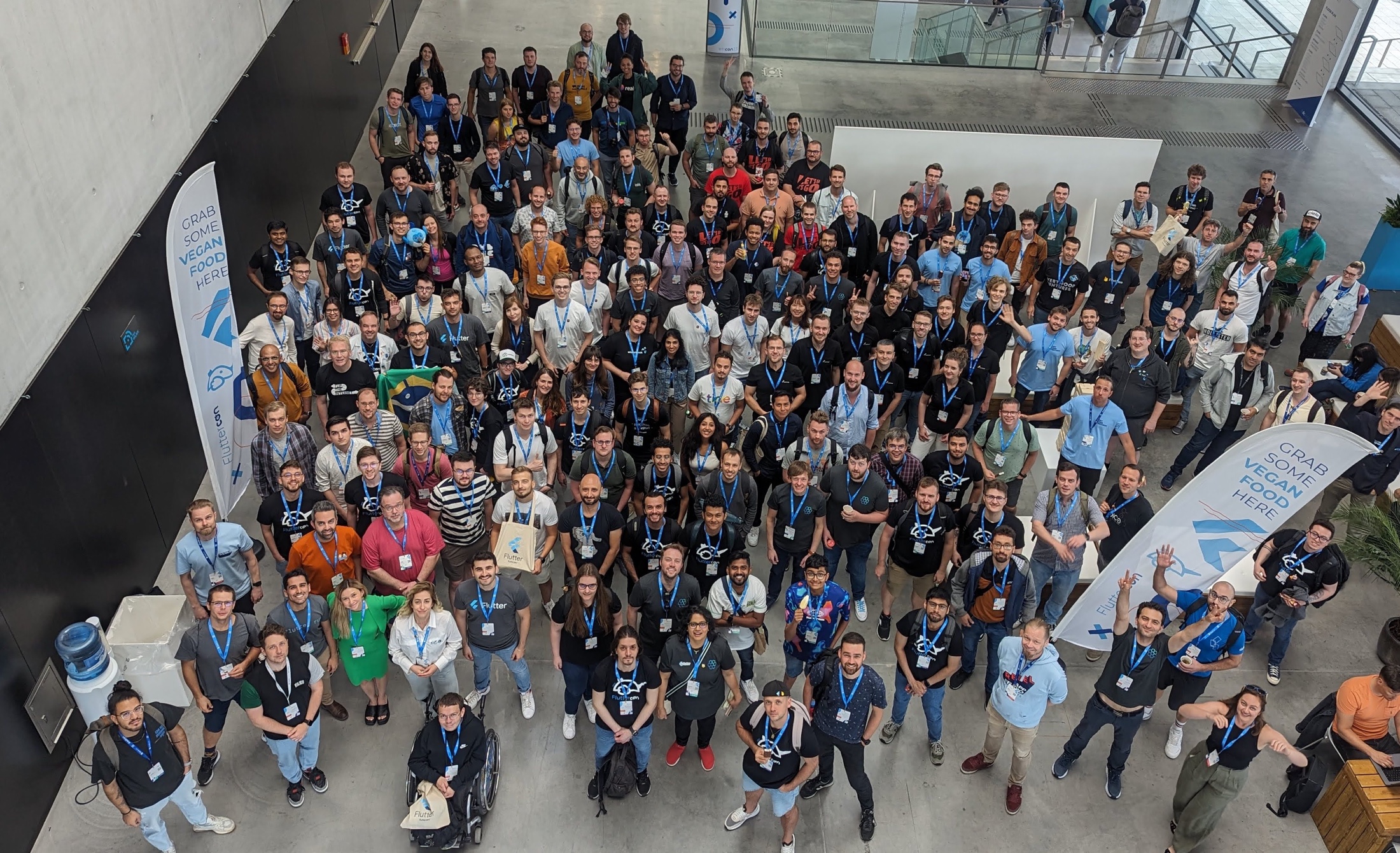
<p>Not sure how about you, but lately I’ve been getting impression that Flutter ecosystem has been affected by some pessimistic or defeatist claims, sometimes even overshadowing other good news or experiments. Thankfully, coming again to a big event makes you realize that online chatter is not the whole picture.</p>

<p>If you’re not in the twitters and reddits of the web, here’s a quick recap of the most impactful voices either commenting or responding to claims that Flutter can be killed by Google:</p>

<ul>
  <li><a href="https://developers.googleblog.com/en/making-development-across-platforms-easier-for-developers/">Joint blog note from Directors of Android and Flutter on selecting the toolkit for mobile apps</a>, note that Jetpack Compose Multiplatform is not mentioned</li>
  <li><a href="https://ln.hixie.ch/?start=1714717681&amp;count=1">How big is the Flutter team</a> by Hixie, who’s no longer at Google, but still actively contributing</li>
  <li><a href="https://www.reddit.com/r/FlutterDev/comments/1cduhra/comment/l1j9eoo/">Layoffs at Google affecting Flutter</a> - viral post that put focus on Flutter</li>
  <li><a href="https://x.com/MiSvTh/status/1785767966815985893">Response from Michael Thomsen, Flutter PM</a>, where he tries to cut the discussion</li>
</ul>

<p>Same as many of you I sometimes get a bit of FUD, but in the long run, I see how the general trajectory of the framework and ecosystem maintains stable. To support this, let’s recap some of the exiting news and showcases from this year’s Fluttercon.</p>

<h1 id="platform-views-and-the-big-thread-merging">Platform Views and the big thread merging</h1>

<p>The Flutter TL John McCutchan had a quite insightful talk about Platform Views on Android. It was refreshing to see the team admitting to mistakes in the current implementation, as well as proposing a long-term plan of fixing that. The only issue is that these fixes will only be enabled by the upcoming Android SDKs (34 and 35) which means that we’ll have to deal with current limitations for another year or two. Aside from that <a href="https://github.com/flutter/flutter/issues/150525#issuecomment-2180988248">they confirmed that there’s a plan on merging platform and Flutter UI thread</a>, which sparked a lot of discussion e.g. around native interop (things like method channels, ffi, JNI).</p>

<p>Folks from the Dart team have shown the <code>jnigen</code> tool that enables calling Java and Kotlin code directly from Dart, avoiding message passing through method channels. In short you could potentially invoke Kotlin plugin functions through simple Dart interface like in <a href="https://github.com/dart-lang/native/blob/main/pkgs/jnigen/example/notification_plugin/example/lib/main.dart">this example</a>:</p>

<pre><code class="language-dart">void showNotification(String title, String text) {
  i = i + 1;
  var jTitle = JString.fromString(title);
  var jText = JString.fromString(text);
  Notifications.showNotification(activity, i, jTitle, jText);
  jTitle.release();
  jText.release();
}
</code></pre>

<p>Some experiments are in progress to bring <a href="https://github.com/dart-lang/native/tree/main/pkgs/swiftgen">similar syntax to Swift through ObjC</a>.</p>

<p>Personally, I find this to be a really solid response to <a href="https://kotlinlang.org/docs/multiplatform-expect-actual.html#rules-for-expected-and-actual-declarations">Kotlin Multiplatform <code>expect</code> and <code>actual</code> declarations</a>.</p>

<h1 id="visuals-animations-shaders">Visuals, animations, shaders</h1>

<p>As it often happens, the most impressive talks are the ones that play with visuals. I got impressed <a href="https://x.com/LucasGoldner/status/1808800834051846180">by Raouf Rahiche’s take on fragment shaders</a>, reminding me of <a href="https://www.droidcon.com/2023/08/07/shaders-beyond-the-gimmick/">last year’s shader talk by Renan Araujo</a> (missed you!).</p>

<p>Btw check out the new project bringing some amazing shaders straight to Flutter: <a href="https://fluttershaders.com/">fluttershaders.com</a></p>

<h1 id="compose">Compose</h1>

<p>I went to couple of Compose and Compose Multiplatform talks just to see what makes the Android devs excited. Seems like Compose is doing well, although I can’t get rid of the uncanny feeling that it’s taking best from Flutter while keeping entire Android toolchain weight to deal with. Worth keeping an eye on Jetbrains efforts on Multiplatform as they are facing quite similar challenges as Flutter, while being able to avoid some of the dead ends that Flutter had to face (e.g. with multi window support, native interop).</p>

<h1 id="social-battery-charged">Social battery charged</h1>

<p>During my talk I asked folks what are the types of the apps that they work on and the response from over 200 people who scanned the QR code makes me feel joyful.</p>

<p><img src="/images/2024/word_cloud.png" alt="word cloud" /></p>

<p>To all the people I met and ones I missed - you’re doing amazing job, and I couldn’t be more happy to be part of this community. Thanks to all the organizers, speakers, and attendees for making this event so special. I’m looking forward to the next one!</p>]]></content><author><name>Dominik Roszkowski</name><email>dominik@roszkowski.dev</email></author><summary type="html"><![CDATA[Second edition of Fluttercon is done. It was such a good event. Let's reflect on Flutter and Dart while it's still fresh memory.]]></summary><media:thumbnail xmlns:media="http://search.yahoo.com/mrss/" url="https://roszkowski.dev/images/2024/fluttercon_2024_pic.jpg" /><media:content medium="image" url="https://roszkowski.dev/images/2024/fluttercon_2024_pic.jpg" xmlns:media="http://search.yahoo.com/mrss/" /></entry><entry><title type="html">Notes from Fluttercon 2023</title><link href="https://roszkowski.dev/2023/fluttercon/" rel="alternate" type="text/html" title="Notes from Fluttercon 2023" /><published>2023-07-11T12:00:00+02:00</published><updated>2023-07-11T12:00:00+02:00</updated><id>https://roszkowski.dev/2023/fluttercon</id><content type="html" xml:base="https://roszkowski.dev/2023/fluttercon/"><![CDATA[<p>I’m super happy to see big community events becoming a norm in Flutter community. To put this into perspective: it’s been almost 4 years since we were organizing Flutter Europe in Warsaw. That one-time event marked a huge milestone in our community back then and has been received beyond our dreams. Then last year a bunch of us met during Flutter Vikings and it was another sign how much we all crave events like that.</p>

<figure style="width: 100%">
  <img src="https://roszkowski.dev/images/2023/fluttercon_group.jpg" alt="Flutter folks during the group photo. I think it’s just a small fraction of all the Flutter enthusiasts. Credit: Michał Jabłoński" />
  <figcaption>Flutter folks during the group photo. I think it’s just a small fraction of all the Flutter enthusiasts. Credit: Michał Jabłoński</figcaption>
</figure>

<p>This year Droidcon Berlin decided to expand its typical Flutter track to a standalone event - Fluttercon. I must say that it felt like Fluttercon became bigger than the Droidcon itself. Flutter merch, speakers, booths and discussions were visible everywhere.</p>

<p>In this short note I just wanted to highlight couple of remarkable talks and findings.</p>

<div class="notice--info">
<img src="/images/dash.png" align="right" width="20%" />
<p><b>Sign up to my newsletter</b></p>
<p>To make it easier to never miss a new blog post, I decided to start a simple newsletter. It's called <i>Occasional Flutter</i> and I invite you to subscribe today!</p>

<iframe src="https://occasionalflutter.substack.com/embed" width="100%" height="220" style="border:1px solid #EEE; background:white;" frameborder="0" scrolling="no"></iframe>

</div>

<p>First of all, it’s been amazing to see a significant number of first-time speakers breaking through the typical bubble of Flutter insiders. The variety of names and cultures, especially outside of Europe made this event really welcoming and inspiring.</p>

<p>Moreover, the quality of the talks itself has been splendid. The deep dives, complex showcases and fantastic demos made it all super engaging.</p>

<p>Some talks I enjoyed a lot:</p>

<ul>
  <li><em>Demystifying Text Rendering in Flutter</em> by Raouf Rahiche</li>
  <li><em>How Custom RenderObjects can make your life easier</em> by Romain Rastel</li>
  <li><em>Healthy Code: A guide to Flutter App audit</em> by Daria Orlova</li>
  <li><em>Shaders: beyond the gimmick</em> by Renan Araujo</li>
  <li><em>Stop Treating Accessibility as an Afterthought: Concrete Steps to Build Inclusive Apps</em> by Manuela Sakura Rommel</li>
</ul>

<figure style="width: 100%">
  <img src="https://roszkowski.dev/images/2023/fluttercon_eric_seidel.jpg" alt="Eric Seidel on Fluttercon stage" />
  <figcaption>Eric Seidel on Fluttercon stage</figcaption>
</figure>

<p>It was super inspiring to listen to Eric Seidel talk about the future of Flutter ecosystem from outside of the Google perspective. Many of us rely on Google building the entire platform, but at the same time there’s so much opportunity for us - developers and users, to build solid experiences around the fantastic Flutter foundations.</p>

<figure style="width: 100%">
  <img src="https://roszkowski.dev/images/2023/fluttercon_dominik_roszkowski.jpg" alt="Me during my talk. Look how big the screen was. Or how small I am. Credit: Renan the shader guy" />
  <figcaption>Me during my talk. Look how big the screen was. Or how small I am. Credit: Renan the shader guy</figcaption>
</figure>

<p>Lastly, I wanted to say thank you to everyone attending my talk on Thursday afternoon. Seeing the full room was so stressful, but at the same time gave me a lot of energy to talk about the project I helped to build.</p>

<p>I spoke about the journey we had to take while migrating Visible from being quite naive in terms of network reliability to almost completely offline-capable app. We’ve spent over an hour after the talk discussing various ideas and problems other folks in the community have. I got several Twitter DMs talking about similar struggles.</p>

<figure style="width: 100%">
  <img src="https://roszkowski.dev/images/2023/fluttercon_visible_hr_chart.png" alt="Here’s the record of my heart rate throughout the talk as seen in Visible app. You can clearly see the stress rising before the talk, and how relieved I was once it was over :D" />
  <figcaption>Here’s the record of my heart rate throughout the talk as seen in Visible app. You can clearly see the stress rising before the talk, and how relieved I was once it was over :D</figcaption>
</figure>

<p><a href="/offline">Here are the materials and slides btw.</a></p>

<p>Thanks for the amazing feedback and I hope to chat about offline-first architecture again!</p>

<p><img src="/images/2023/fluttercon_feedback.png" alt="Some example messages in the feedback form" /></p>]]></content><author><name>Dominik Roszkowski</name><email>dominik@roszkowski.dev</email></author><summary type="html"><![CDATA[I've just came back from Fluttercon. What a blast it was! Join me to celebrate attendees, speakers and Flutter community.]]></summary><media:thumbnail xmlns:media="http://search.yahoo.com/mrss/" url="https://roszkowski.dev/images/2023/fluttercon_group.jpg" /><media:content medium="image" url="https://roszkowski.dev/images/2023/fluttercon_group.jpg" xmlns:media="http://search.yahoo.com/mrss/" /></entry><entry><title type="html">Platform Views for Mobile and Beyond</title><link href="https://roszkowski.dev/2022/platform-views/" rel="alternate" type="text/html" title="Platform Views for Mobile and Beyond" /><published>2022-10-27T23:00:00+02:00</published><updated>2022-10-27T23:00:00+02:00</updated><id>https://roszkowski.dev/2022/platform-views</id><content type="html" xml:base="https://roszkowski.dev/2022/platform-views/"><![CDATA[<p>At some point in the project it may happen that you need to use platform specific SDK that does not yet have a plugin available. And what’s more difficult you may want to display some of the vendor-provided UI components instead of writing your own. Take for example camera-based heart rate scanner or advanced video editor. They may look perfectly fine in native Android or iOS app, but obviously you want to use them in Flutter. Here’s a moment when you can use platform views.</p>

<p>In this article we’re going to go through basics of platform views, their benefits and limitations, as well as we’ll look into displaying them on platforms that are not yet officially supported. Let’s dig in!</p>

<p class="notice--info">This article is pretty bulky as I wanted it to be a comprehensive lookup doc for myself 🤪. Some information may be easily found in the official (splendid) docs, other is just my personal findings and opinion. Feel free to jump to a specific section using the table of contents.</p>

<h1 id="how-platform-views-are-displayed">How Platform Views are Displayed</h1>

<p>When trying to understand how platform views are getting displayed in Flutter it’s worth to look at this in a simplified form first. Below you see some of the main pieces necessary to display a platform view with no iOS or Android specifics.</p>

<p>Anytime you want to display a native view you’ll start with your custom widget wrapper (in this case referred to as <em>Flutter Widget</em>). It’s going to render a <code>UiKitView</code> on iOS or <code>PlatformViewLink</code> on Android that come from Flutter’s <code>widgets</code> library.</p>

<p>On the <em>native side</em> you will need to use plugin (view) registry to <em>register</em> your <em>view factory</em> that will be responsible for providing a Flutter <code>PlatformView</code> implementation. The specific implementation will have to render a corresponding view for a given platform (<a href="https://developer.apple.com/documentation/uikit/uiview">UIView</a> for iOS/macOS, <a href="https://developer.android.com/reference/android/view/View">View</a> for Android).</p>

<p><img src="/images/2022-09/common_flow.png" alt="platform views flow" title="platform view flow diagram" /></p>

<h1 id="ios">iOS</h1>

<p>We’ll start with iOS as the setup here is the most straightforward. There’s only one type of platform views that we can use on iOS and it uses a method called <strong>hybrid composition</strong>.</p>

<p>Hybrid composition is the platform view rendering mode where the view is appended to the view hierarchy. If you’d open Xcode’s view debugging utility you’d see the native UIKit view hovering above the <code>FlutterViewController</code>.</p>

<p><img src="/images/2022-09/ios_view_hierarchy.png" alt="iOS View Hierarchy" title="iOS View Hierarchy" /></p>

<p>This approach has some obvious benefits. For instance, iOS is aware of the view features such as accessibility. It can handle gestures and text input properly. As you may imagine, when Apple releases some new features such as <a href="https://support.apple.com/guide/ipad/enter-text-with-scribble-ipad355ab2a7/ipados">Apple Pencil scribble support</a>, it may <a href="https://github.com/flutter/flutter/issues/61278">take some time</a> to fully support that in Flutter. By leveraging native views we can get some of that at relatively low cost. One of the best examples may be <a href="flutter_native_text_input">flutter_native_text_input</a> library that lets us use system-specific text fields instead of rendering them with Flutter. It’s definitely not the most seamless experience, but I can imagine situations when there is no better workaround than falling back to UITextView.</p>

<div class="notice--info">
<img src="/images/dash.png" align="right" width="20%" />
<p><b>Sign up to my newsletter</b></p>
<p>To make it easier to never miss a new blog post, I decided to start a simple newsletter. It's called <i>Occasional Flutter</i> and I invite you to subscribe today!</p>

<iframe src="https://occasionalflutter.substack.com/embed" width="100%" height="220" style="border:1px solid #EEE; background:white;" frameborder="0" scrolling="no"></iframe>

</div>

<h2 id="how-to-implement-an-ios-view-in-flutter">How to implement an iOS view in Flutter?</h2>

<p>In this tutorial we’ll go through some major steps when it comes to creating a native view in Flutter. I’d like us to follow <em>decent</em> practices of building plugins (practically speaking the native view is a form of plugin), so to get a head start we’re going to use a <a href="https://github.com/VeryGoodOpenSource/very_good_flutter_plugin">federated plugin template</a> and <a href="https://pub.dev/packages/plugin_platform_interface">plugin_platform_interface</a>. This way the resulting code will be much easier to extend to other platforms.</p>

<p class="notice--info">If you’d like to see a more complex example of native view that is being migrated to a federated plugin template, have a look <a href="https://flutter.dev/go/webview_flutter_4_interface">at the webview migration design document</a>.</p>

<h2 id="the-goal">The goal</h2>

<p>To make it easier to follow, for now we’ll just show a couple of native labels. Later on we’ll move to something more exciting, but there’s still a bit of code to go through before we can display meaningful elements on the screen.</p>

<p>For iOS our goal is to display a SwiftUI stack. It’s still a UIKit view, but it’s hosting a SwiftUI controller that allows us to write layout code in a more declarative way.</p>

<p><img src="/images/2022-09/ios_example.png" alt="iOS example" title="iOS example" /></p>

<h2 id="setup">Setup</h2>

<p>To make your life even easier you can generate the plugin template code via the <code>very_good_cli</code>. Once done you should see structure similar to following:</p>

<ul>
  <li>Dart platform agnostic code in the main package</li>
  <li>Platform specific code in the packages per each platform</li>
  <li>Common plugin interface defined in <code>PlatformInterface</code></li>
  <li>Example application</li>
</ul>

<p class="notice--info">Using <a href="https://pub.dev/documentation/plugin_platform_interface/latest/plugin_platform_interface/PlatformInterface-class.html"><code>PlatformInterface</code></a> class from <code>plugin_platform_interface</code> package helps to keep consistent API between platforms and prevents usage of <code>extends</code> in favor of <code>implements</code> when implementing platform code.</p>

<p>In my case I started with defining the <code>Widget getPlatformView()</code> method in the <code>PlatformInterface</code> and putting placeholders in every platform package. This way I will be forced to keep consistent API between all the platforms. Then in my Dart package I defined a common widget that I will display in my app called <code>NativeView</code>.</p>

<pre><code class="language-dart">// camera_view/camera_view_platform_interface/lib/camera_view_platform_interface.dart

/// The interface that implementations of camera_view must implement.
abstract class CameraViewPlatform extends PlatformInterface {
...
  /// Returns the platform specific widget
  Widget getPlatformView();
}
</code></pre>

<pre><code class="language-dart">// camera_view/camera_view/lib/camera_view.dart

CameraViewPlatform get _platform =&gt; CameraViewPlatform.instance;

class NativeView extends StatelessWidget {
  const NativeView({super.key});

  @override
  Widget build(BuildContext context) {
    return _platform.getPlatformView();
  }
}
</code></pre>

<p>If you’d build the app now, it would just fail. Let’s move on to implementing the iOS view on the Dart side.</p>

<h2 id="ios-view---dart-side">iOS view - Dart side</h2>

<p>The Dart implementation for a view is fairly straightforward. The <code>UiKitView</code> is a widget that wraps <code>PlatformViewLayer</code> with a user-friendly API. The most important argument is <code>viewType</code> that needs to be reused in the Swift code as well.</p>

<p>As mentioned before there’s only one way to render a platform view on iOS, so we don’t have to worry about the logic here.</p>

<pre><code class="language-dart">class _UiKitBox extends StatelessWidget {
  const _UiKitBox({super.key});

  @override
  Widget build(BuildContext context) {
    // This is used in the platform side to register the view.
    const viewType = '@views/native-view';
    // Pass parameters to the platform side.
    final creationParams = &lt;String, dynamic&gt;{};
    return UiKitView(
      viewType: viewType,
      layoutDirection: TextDirection.ltr,
      creationParams: creationParams,
      gestureRecognizers: const &lt;Factory&lt;OneSequenceGestureRecognizer&gt;&gt;{
        Factory&lt;OneSequenceGestureRecognizer&gt;(
          EagerGestureRecognizer.new,
        ),
      },
      creationParamsCodec: const StandardMessageCodec(),
    );
  }
}

</code></pre>

<p>To expose <code>_UiKitBox</code> outside of the package the <code>getPlatformView()</code> method can be used. This way consumers of the package won’t be affected when the implementation details change.</p>

<pre><code class="language-dart">class NativeViewIOS extends CameraViewPlatform {
  // …

  @override
  Widget getPlatformView() {
    return const _UiKitBox();
  }
}

</code></pre>

<h2 id="ios---swift-side">iOS - Swift side</h2>

<p>To conveniently edit Swift code you should open the example app in Xcode (specifically <code>Runner.xcworkspace</code> file). I tend to use command line for that by calling</p>

<pre><code class="language-sh">open native_view/native_view/example/ios/Runner.xcworkspace/
</code></pre>

<p>Make sure to run <code>flutter pub get</code> and <code>pod install</code> for the app iOS project and head off to the plugin code. That’s what usually makes me laugh as you have to go through several levels of folders in order to access Swift files of your plugin.</p>

<p><img src="/images/2022-09/podfile.png" alt="How to find Swift files in Xcode" title="How to find Swift files in Xcode" /></p>

<div class="notice--info">
<p>At the moment <a href="https://github.com/VeryGoodOpenSource/very_good_flutter_plugin/issues/43">very_good_cli generates Obj-C code</a>, but you should be able to easily add Swift files instead by modifying the podspec and adding the file like follows:</p>

<p>Replace content of NativeViewPlugin.m</p>

<pre><code class="language-objc">#import "NativeViewPlugin.h"
#if __has_include(&lt;native_view_ios/native_view_ios-Swift.h&gt;)
#import &lt;native_view_ios/native_view_ios-Swift.h&gt;
#else
// Support project import fallback if the generated compatibility header
// is not copied when this plugin is created as a library.
// https://forums.swift.org/t/swift-static-libraries-dont-copy-generated-objective-c-header/19816
#import "native_view_ios-Swift.h"
#endif

@implementation NativeViewPlugin
+ (void)registerWithRegistrar:(NSObject&lt;FlutterPluginRegistrar&gt;*)registrar {
  [SwiftNativeViewPlugin registerWithRegistrar:registrar];
}
@end

</code></pre>

<p>And add Swift implementation:</p>

<pre><code class="language-swift">import Flutter
import UIKit

@available(iOS 13.0, *)
public class SwiftNativeViewPlugin: NSObject, FlutterPlugin {
  public static func register(with registrar: FlutterPluginRegistrar) {
    let channel = FlutterMethodChannel(name: "native_view_ios", binaryMessenger: registrar.messenger())
    let instance = SwiftNativeViewPlugin()
    registrar.addMethodCallDelegate(instance, channel: channel)
  }

  public func handle(_ call: FlutterMethodCall, result: @escaping FlutterResult) {
    switch call.method {
    case "getPlatformName":
      result("iOS")
    default:
      result(FlutterMethodNotImplemented)
    }
  }
}
</code></pre>

</div>

<p>Once you have your Swift environment prepared you should be able to start writing some platform views code. For this example I wanted to try out embedding a SwiftUI view within Flutter. In order to do that a <code>UIHostingController</code> can be used.</p>

<p>Firstly, the view factory needs to be registered in the <code>FlutterPluginRegistrar</code>, obviously in the method called <code>register()</code>.</p>

<pre><code class="language-swift">let factory = FLNativeViewFactory(messenger: registrar.messenger)

registrar.register(factory, withId: "@views/native-view")
</code></pre>

<p>The implementation of <code>FLNativeViewFactory</code> is mostly a boilerplate, where in the <code>create</code> function we need to return the displayed view:</p>

<pre><code class="language-swift">@available(iOS 13.0, *)
class FLNativeViewFactory: NSObject, FlutterPlatformViewFactory {
    private var messenger: FlutterBinaryMessenger

    init(messenger: FlutterBinaryMessenger) {
        self.messenger = messenger
        super.init()
    }

    func create(
        withFrame frame: CGRect,
        viewIdentifier viewId: Int64,
        arguments args: Any?
    ) -&gt; FlutterPlatformView {
        return FLNativeView(
            frame: frame,
            viewIdentifier: viewId,
            arguments: args,
            binaryMessenger: messenger)
    }
}
</code></pre>

<p>The most interesting part is <code>FLNativeView</code> which will host the SwiftUI view:</p>

<pre><code class="language-swift">@available(iOS 13.0, *)
class FLNativeView: NSObject, FlutterPlatformView {
    private var _view: UIView

    init(
        frame: CGRect,
        viewIdentifier viewId: Int64,
        arguments args: Any?,
        binaryMessenger messenger: FlutterBinaryMessenger?
    ) {
        _view = UIView()
        super.init()
        _view.backgroundColor = UIColor.gray
        let childView = UIHostingController(rootView: SwiftUIView())
        childView.view.frame = frame
        _view.addConstrained(subview: childView.view)
        childView.didMove(toParent: _view.inputViewController)
    }

    func view() -&gt; UIView {
        return _view
    }
}
</code></pre>

<p>I took some inspiration from <a href="https://stackoverflow.com/a/63108500/6055532">this StackOverflow answer</a> to fix the constraints issue.</p>

<p>The <code>SwiftUIView</code> is a pretty straightforward layout and I placed it in a separate file to use Xcode preview</p>

<pre><code class="language-swift">import SwiftUI

@available(iOS 13.0, *)
struct SwiftUIView: View {
    var body: some View {
        VStack(alignment: .center) {
            Text("Hello from SwiftUI")
                .font(.headline)
            Text("within Flutter")
                .font(.body)
        }
    }
}

@available(iOS 13.0, *)
struct SwiftUIView_Previews: PreviewProvider {
    static var previews: some View {
        SwiftUIView()
    }
}
</code></pre>

<h2 id="ios---performance">iOS - performance</h2>

<p>What’s really surprising - at least knowing some stereotypes about embedding native views - the performance is pretty impressive. In a much more complex case built internally we were able to max out the frame rate of the native view, and with a simple case of <a href="https://betterprogramming.pub/creating-confetti-particle-effects-using-swiftui-afda4240de6b">a confetti animation</a> we’re getting also super smooth effect.</p>

<p><img src="/images/2022-09/animation.gif" alt="iOS animation with confetti" title="iOS animation with confetti" /></p>

<hr />

<h1 id="android">Android</h1>

<p>The world of Android is a bit more complicated than the iOS. There are differences between various vendors and Android versions. Sometimes you may think that your platform view implementation works just fine on your test device but then there may be some odd device with more problems than you could ever imagine.</p>

<p>To spice things up a little bit, there was <a href="https://github.com/flutter/engine/pull/31198">a major change introduced in Flutter 3.0</a>. It changed the logic of which mode was used depending on Android version and device capabilities.</p>

<p>It seems that this change has introduced several serious bugs in how the Android platform view was displayed (e.g. <a href="https://github.com/flutter/flutter/issues/103630">wrong position</a>, <a href="https://github.com/flutter/flutter/issues/109692">ghosting of the Flutter view</a>, <a href="https://github.com/flutter/flutter/issues/98271">crashes</a>, or <a href="https://github.com/flutter/flutter/issues/107486">scrolling jittering performance</a>).</p>

<p>Unfortunately, it wasn’t widely announced so many people haven’t realized that there are some issues until they actually run their app on the latest version of Flutter. I was in the same situation where we had to choose whether we want to migrate to Flutter 3.0 or stay at the older version. Happily, three have been some fixes since then (e.g. <a href="https://github.com/flutter/plugins/pull/6063/files">for webview</a>), so if you were stuck at Flutter 2 due to platform views issues, give the newest version a try and verify if they are still present.</p>

<h2 id="types-of-embedding">Types of embedding</h2>

<p>In this section I may use some abbreviations to make reading easier. The Flutter team came up with following terms for platform view modes:</p>

<ul>
  <li>Virtual Display (VD)</li>
  <li>Hybrid Composition (HC)</li>
  <li>Texture Layer Hybrid Composition (TLHC)</li>
</ul>

<p class="notice--warning">This section may require some updates soon™️, as there is <a href="https://github.com/flutter/flutter/pull/109161">ongoing refactoring of the selection logic</a> for platform views on Android. This is valid for <code>master, 3.5.0-10.0.pre.36</code>. There are some <a href="https://github.com/flutter/flutter/labels/a%3A%20platform-views">pending issues with hybrid composition on Android</a> that you may want to be aware.</p>

<h3 id="virtual-display">Virtual Display</h3>

<p>This is the simplest mode of them all. It poses several limitations around accessibility (e.g. you wouldn’t use it as webview). Starting from Flutter 3.x it’s going to be a fallback mode for TLHC if the device does not support that – from what I understand Android 12+ does not support VD.</p>

<p>To use that you can simply instantiate the <code>AndroidView</code> widget.</p>

<pre><code class="language-dart">@override
Widget getPlatformView() {
  return const AndroidView(
    viewType: '@views/native-view',
    layoutDirection: TextDirection.ltr,
    creationParams: &lt;String, dynamic&gt;{},
    creationParamsCodec: StandardMessageCodec(),
  );
}
</code></pre>

<p>When you try to inspect the views of the Flutter app with Android Studio Layout Inspector you won’t see anything (although this may be Inspector’s issue as well). The Android view is invisible to the debugger.</p>

<p><img src="/images/2022-09/android_virtual_display.png" alt="Virtual Display inside Flutter app in Android Studio Layout Inspector" title="Virtual Display inside Flutter app in Android Studio Layout Inspector" /></p>

<p>Virtual Display is used also after invoking <code>initAndroidView()</code> when using <code>PlatformViewsService</code> within <code>PlatformViewLink</code>. The <code>AndroidView</code> widget is a shortcut with less customization compared to <code>AndroidViewSurface</code>.</p>

<h3 id="hybrid-composition">Hybrid Composition</h3>

<p>To use this mode you have to employ <code>PlatformViewLink</code> widget. Instead of returning <code>AndroidView</code> you can return <code>AndroidViewSurface</code> in its <code>surfaceFactory</code>. Then when creating the view you should pass <code>viewType</code> and other parameters to <code>PlatformViewsService.initExpensiveAndroidView()</code>.</p>

<p>Why is this <em>expensive</em>? Let’s have a look at the docs:</p>

<blockquote>
  <p>When this factory is used, the Android view and Flutter widgets are
composed at the Android view hierarchy level.</p>

  <p>Using this method has a performance cost on devices running Android 9 or
earlier, or on underpowered devices. In most situations, you should use
[initAndroidView] or [initSurfaceAndroidView] instead.</p>
</blockquote>

<p>The Dart code for this piece is not as brief:</p>

<pre><code class="language-dart">@override
Widget getPlatformView() {
  return PlatformViewLink(
    viewType: '@views/native-view',
    surfaceFactory: (context, controller) {
      return AndroidViewSurface(
        controller: controller as AndroidViewController,
        gestureRecognizers: const &lt;Factory&lt;OneSequenceGestureRecognizer&gt;&gt;{},
        hitTestBehavior: PlatformViewHitTestBehavior.opaque,
      );
    },
    onCreatePlatformView: (params) {
      return PlatformViewsService.initExpensiveAndroidView(
        id: params.id,
        viewType: '@views/native-view',
        layoutDirection: TextDirection.ltr,
        creationParams: &lt;String, dynamic&gt;{},
        creationParamsCodec: const StandardMessageCodec(),
        onFocus: () {
          params.onFocusChanged(true);
        },
      )
        ..addOnPlatformViewCreatedListener(params.onPlatformViewCreated)
        ..create();
    },
  );
}
</code></pre>

<p>Let’s revisit the usage of <a href="https://master-api.flutter.dev/flutter/widgets/PlatformViewLink-class.html"><code>PlatformViewLink</code></a>. Depending on the callback selected in the <code>onCreatePlatformView</code> a different mode will be used:</p>

<ul>
  <li><code>initSurfaceAndroidView</code> will fallback to <code>initAndroidView</code>, it (maybe) will get deprecated in favor of <code>initAndroidView</code> entirely,</li>
  <li><code>initAndroidView</code> will use <code>TextureView</code> and TLHC, but may fallback to VD on some devices (e.g. when SDK &lt;23), cannot handle SurfaceView</li>
  <li><code>initExpensiveAndroidView</code> will use Hybrid Composition</li>
</ul>

<p>When you try to inspect the views of the Flutter app with Android Studio Layout Inspector you can see the overall structure of the Flutter app from the point of view of Android. The native view is accessible to the debugger.</p>

<p><img src="/images/2022-09/android_hybrid_composition.png" alt="Hybrid Composition inside Flutter app in Android Studio Layout Inspector" title="Hybrid Composition inside Flutter app in Android Studio Layout Inspector" /></p>

<h3 id="texture-layer-hybrid-composition">Texture Layer Hybrid Composition</h3>

<p>This is a new mode introduced in Flutter 3.0, and has been getting fixes for last couple of months. As of writing this article it’s still not clear what will be the final logic when selecting this mode (the docs are not clear), but in general it aims to solve a lot of the performance problems with simple <code>AndroidView</code> widgets.</p>

<p>When <a href="https://github.com/flutter/flutter/pull/109161">this PR lands</a>, it will fallback to Hybrid Composition instead of Virtual Display when using <code>initSurfaceAndroidView</code>, as this seems as more predictable approach for the developers. It should fallback to Virtual Display when <code>initAndroidView</code> is used.</p>

<p>Some interesting sources that I used:</p>

<ul>
  <li><a href="https://github.com/flutter/flutter/issues/107313">Issue describing logic improvements</a></li>
  <li><a href="https://github.com/flutter/flutter/issues/108106#issuecomment-1191808070">webview_flutter and google_maps</a>,</li>
  <li><a href="https://github.com/flutter/flutter/pull/109161">PR with new selection logic</a></li>
  <li><a href="https://github.com/flutter/flutter/issues/113626">Hybrid Composition breaks the accessibility of the native view</a></li>
</ul>

<h2 id="android---kotlin-side">Android - Kotlin side</h2>

<p>The Kotlin side of the implementation is similar to the iOS. In the plugin initialization code the view needs to be registered, this time in the <code>platformViewRegistry</code>:</p>

<pre><code class="language-kotlin">override fun onAttachedToEngine(
   @NonNull flutterPluginBinding: FlutterPlugin.FlutterPluginBinding
) {
   channel = MethodChannel(flutterPluginBinding.binaryMessenger, "camera_view_android")
   channel.setMethodCallHandler(this)
   context = flutterPluginBinding.applicationContext

   flutterPluginBinding
       .platformViewRegistry
       .registerViewFactory("@views/native-view", NativeViewFactory())
}
</code></pre>

<p>The <code>PlatformViewFactory</code> code is relatively straightforward as well, as it only returns <code>NativeView</code>:</p>

<pre><code class="language-kotlin">class NativeViewFactory(val cameraController: CameraController) :
   PlatformViewFactory(StandardMessageCodec.INSTANCE) {
   override fun create(context: Context, viewId: Int, args: Any?): PlatformView {
       val creationParams = args as Map&lt;String?, Any?&gt;?
       return NativeView(context, viewId, creationParams, cameraController)
   }
}
</code></pre>

<pre><code class="language-kotlin">internal class NativeCameraView(context: Context, id: Int, creationParams: Map&lt;String?, Any?&gt;?) : PlatformView {
   private val textView: TextView

   override fun getView(): View {
       return textView
   }

   init {
       textView = TextView(context)
       textView.textSize = 72f
       textView.text = "Hello from Android"
   }
}
</code></pre>

<h1 id="macos">macOS</h1>

<p>Despite the fact that platform views are not supported on desktop yet, there’s already some basic functionality available on <code>master</code> channel of Flutter. In practice the implementation from iOS can be reused in the macOS plugin code as well. The main difference is that <code>FlutterMacOS</code> framework needs to be used instead of <code>Flutter</code> (but <a href="https://github.com/flutter/flutter/issues/70413">it should be unified in the future</a> anyway).</p>

<p>Few things don’t work as of writing this article:</p>

<ul>
  <li>gestures are not handled entirely on the native side, the method channels are not implemented</li>
  <li>there’s an annoying bug with threading <a href="https://github.com/flutter/engine/pull/35894">with a pending fix</a>, but it prevents users from modifying the window size, while the platform view is shown</li>
  <li>the platform view is shown above the widget tree, so you cannot show any custom UI, plus the navigation animation is broken as well</li>
</ul>

<p>As you can see, there’s no real support for the desktop platform views right now. However, if you ever thought about showing any native view in Flutter macOS application, this is the time to start experimenting with that. The cool thing though, is that I was able to show almost exactly the same view as on iOS with very little changes to syntax or imported libraries.</p>

<h1 id="types-of-rendering">Types of rendering</h1>

<p>Let’s recap all the types of view rendering/composition available in Flutter as of version 3.0/3.3. Currently only Android, iOS, and Web are officially supported, although the last one has relatively limited feature set. Desktop platforms (Windows, Linux, and macOS) are still work-in-progress. Recently, there has been some progress e.g. on macOS it’s already possible to display PlatformView using Flutter master (as of August 2022).</p>

<table>
<thead>
  <tr>
    <th>Platform</th>
    <th>Type</th>
    <th>Details</th>
  </tr>
</thead>
<tbody>
  <tr>
    <td>iOS</td>
    <td>Hybrid Composition</td>
    <td>Appends view to the hierarchy</td>
  </tr>
  <tr>
    <td rowspan="3">Android</td>
    <td>Virtual Display</td>
    <td>Limited in a11y, no gestures handling, morphed into the Flutter view<br />min SDK 20</td>
  </tr>
  <tr>
    <td>Hybrid Composition</td>
    <td>Appends view to the hierarchy<br />performance cost on Android &lt;10<br />min SDK 19</td>
  </tr>
  <tr>
    <td>Texture Layer Hybrid Composition</td>
    <td>Added in Flutter 3, improved in 3.3<br />Doesn't work with SurfaceView<br />Fallbacks to VD or HC (depends)</td>
  </tr>
  <tr>
    <td>Web</td>
    <td>HTML slots</td>
    <td>Uses HtmlElementView for embedding the view</td>
  </tr>
  <tr>
    <td>macOS</td>
    <td>?</td>
    <td>Basic support for platform views, not production ready</td>
  </tr>
  <tr>
    <td>Windows</td>
    <td></td>
    <td>No support yet</td>
  </tr>
</tbody>
</table>

<h1 id="camera-example">Camera example</h1>

<p><img src="/images/2022-09/macos_screenshot.png" alt="macOS camera app screenshot" /></p>

<p>One of the goals while writing this article was to show a camera preview on at least 3 platforms. I’m happy to share that it was possible to do. I won’t get too much into the details here, but thanks to the similarities between iOS and macOS platform view implementation, as well as by leveraging SwiftUI I was able to mostly copy-and-paste the plugin code from iOS to macOS to get basic camera working.</p>

<p><a href="https://github.com/orestesgaolin/platform_views_camera">Check out the example camera app</a></p>

<p>The iOS and macOS implementations use SwiftUI camera views from <a href="https://www.raywenderlich.com/26244793-building-a-camera-app-with-swiftui-and-combine">this article</a> by Yono Mittlefehldt. The license note is included in every file copied from the original implementation.</p>

<p>The Android implementation uses <a href="https://github.com/natario1/CameraView">CameraView library</a>, which worked perfectly fine for this sample.</p>

<p><img src="/images/2022-09/preview.png" alt="Camera app running on macOS, iOS, and Android" /></p>

<p>I’m quite happy with the final result, although it’s definitely not ready to use outside of demo environment. The journey I took shows that it’s going to be relatively easy to embed native views across all the platforms supported by Flutter. It’s not there yet, but I’m really hopeful and looking forward to see plugins like webview, video player or PDF readers on desktop platforms.</p>]]></content><author><name>Dominik Roszkowski</name><email>dominik@roszkowski.dev</email></author><summary type="html"><![CDATA[In this article we’re going to go through basics of platform views, their benefits and limitations, as well as we’ll look into displaying them on platforms that are not yet officially supported.]]></summary><media:thumbnail xmlns:media="http://search.yahoo.com/mrss/" url="https://roszkowski.dev/images/2022-09/preview.png" /><media:content medium="image" url="https://roszkowski.dev/images/2022-09/preview.png" xmlns:media="http://search.yahoo.com/mrss/" /></entry></feed>